
When Adoptiv won't place a call, it says why: on the lead, in the call dialog, or in a message at the bottom right of the screen. The most common reasons are a number on a do-not-call list, no number you're allowed to call from, and a phone that isn't connected. Find the message you see below.
Your business isn't verified yet
You see Verify your business to start calling. Calls and texts wait until Adoptiv approves your workspace. Press Verify your business to finish the application. It takes a few minutes, and we review it within one business day. See Get your workspace approved for calling.
The number can't be called
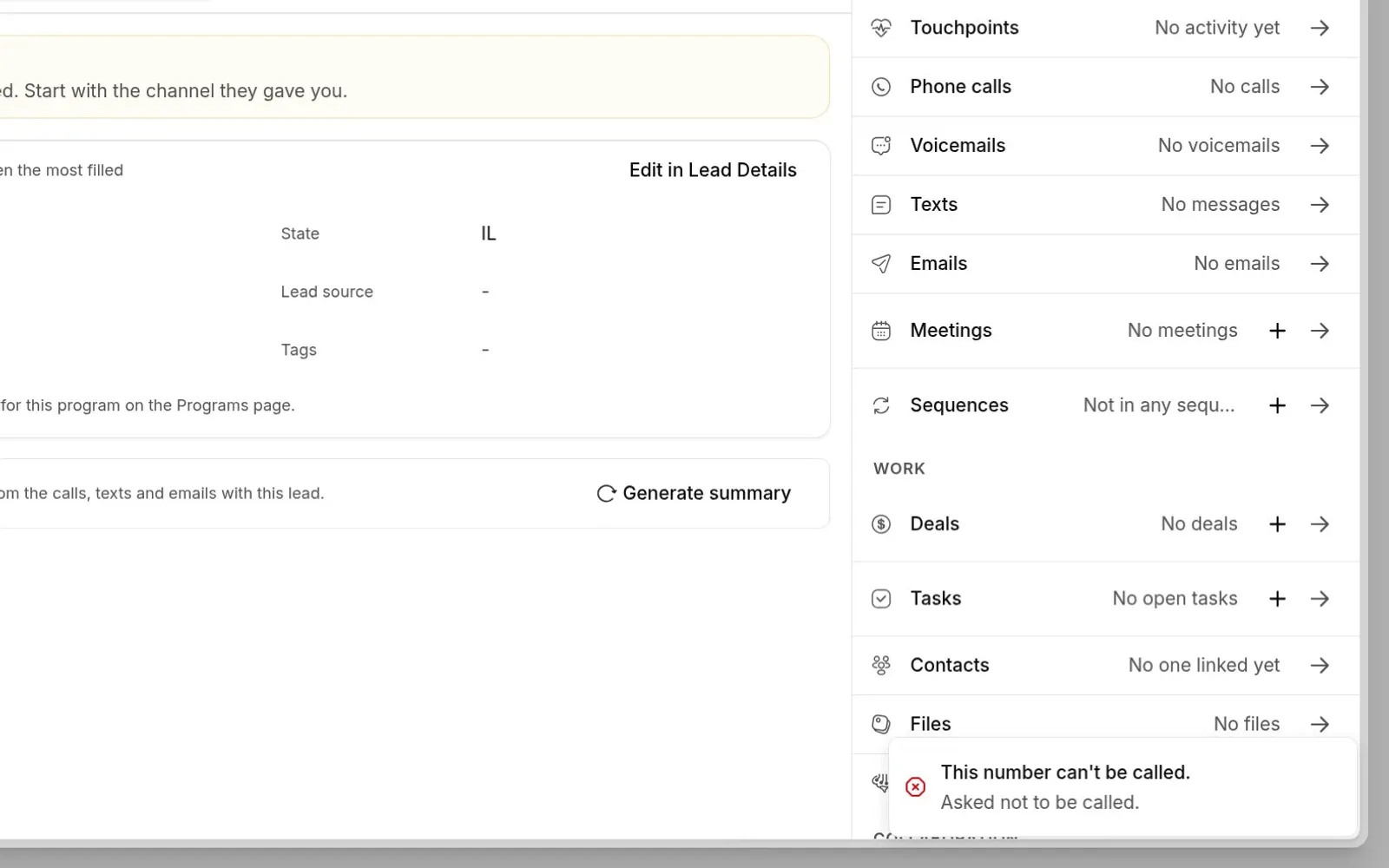
Pressing Place Call shows This number can't be called with the reason, such as On the federal DNC registry, On your internal do-not-call list, Asked not to be called or Flagged as a known litigator. If you open the call dialog another way, such as from the number itself, the number has a Do not call badge and Call can't be pressed. A number on your workspace's Do Not Call list, or one another lead with the same number asked not to be called on, isn't marked on the lead: the call dialog refuses it when you press Call, with a sentence such as This number can't be called: it is on your do-not-call list.
There's no way to override this. A registry or litigator listing is about one number, so you may still call the lead's other numbers. A lead marked Do not call or Internal DNC can't be called on any number. See Calling hours and do-not-call checks and Manage your Do Not Call lists.
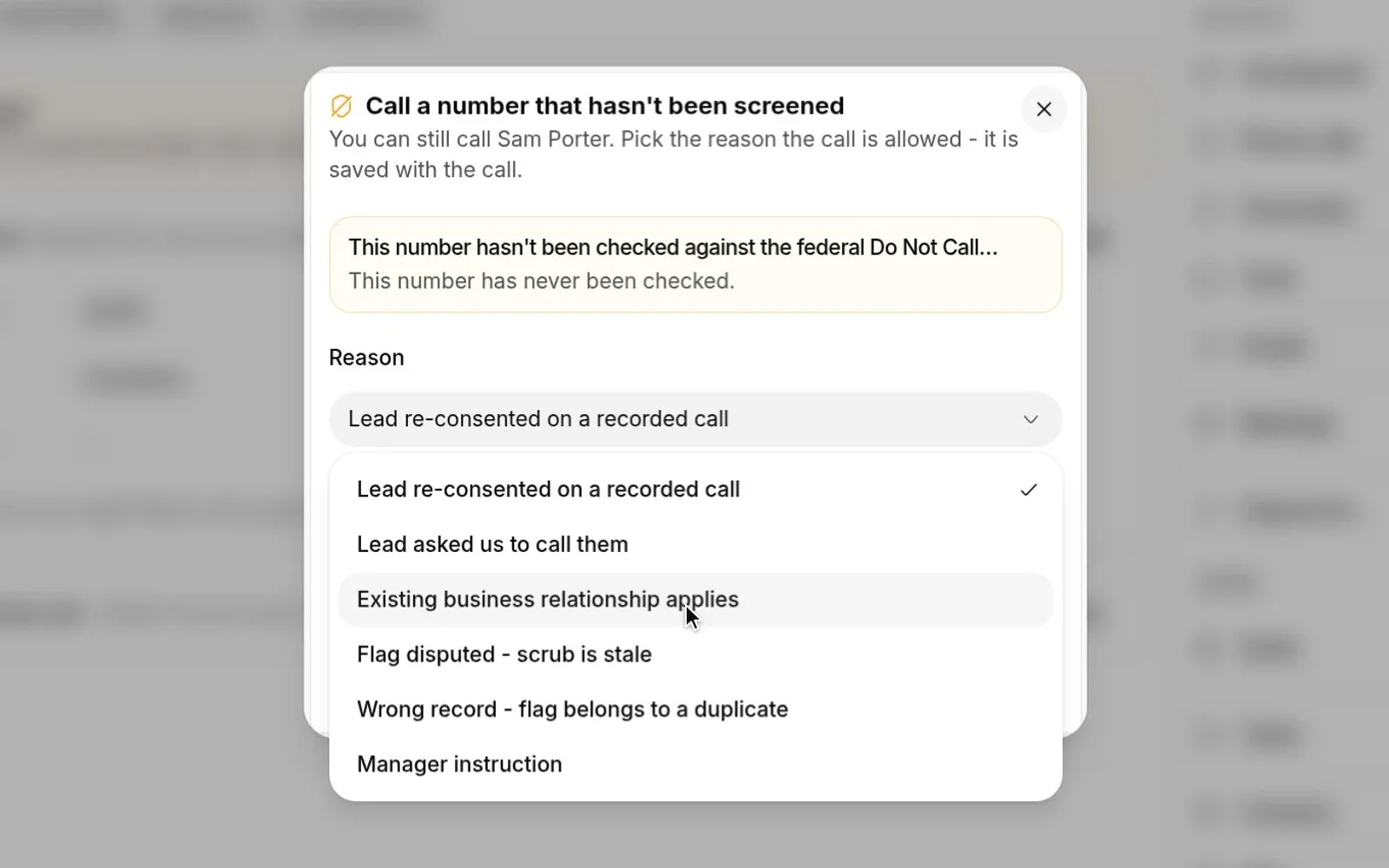
Adoptiv asks for a reason first
These calls can still go ahead once you give a reason:
- Not screened: the number hasn't been checked against the federal Do Not Call registry or the known-litigator list. You see a sentence such as This number hasn't been checked against the federal Do Not Call registry.
- Outside calling hours: it's before 8 am or from 9 pm in any time zone the lead may be in (their address and their number's area code can differ). This is checked only for calls you place from a lead.
- Pick a Reason.
- Add a Note (optional).
- Press Call anyway. If the call dialog opens next, press Call there. The reason you give is saved with the call.
There's no number to call from
- No caller ID is accessible to your user. Ask your administrator to assign one. You have no number you're allowed to show. Claim your own number if your plan includes one, or ask an admin to route a number to you.
- That number is another user's own claimed number, so only they can use it as caller ID. Pick another number.
- That number is no longer active on this workspace, so it cannot be used as caller ID. Pick another number.
Pick another number under From. See Choose which number your calls show.
Your phone isn't ready
- Softphone not registered. Check your connection. Your browser phone isn't connected, so Call can't be pressed. Click the phone status button at the top of the screen to see why.
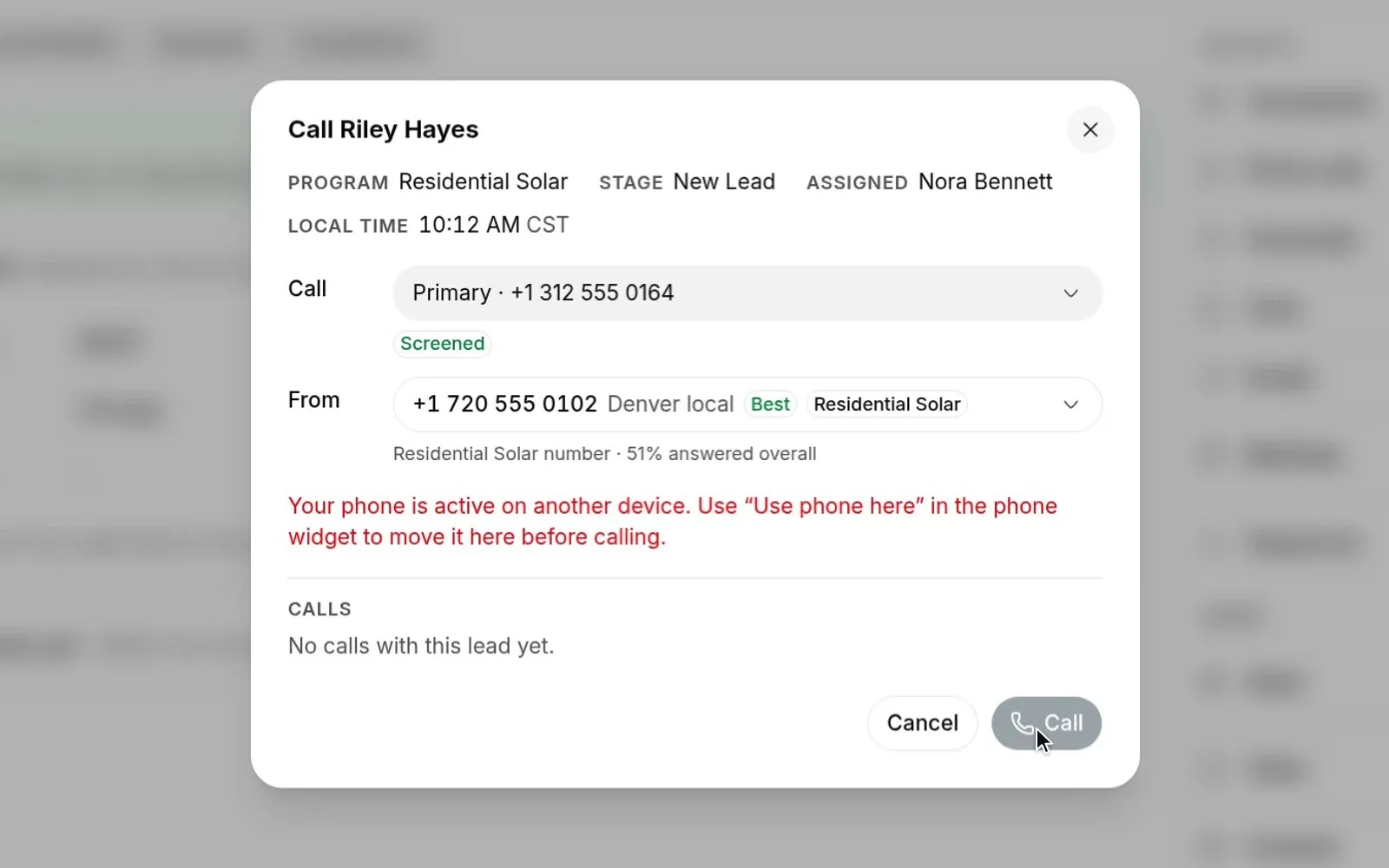
- Your phone is active on another device. or Move the phone here first, then place your call. Open the Webphone card and press Use phone here.
See Calls don't ring, or you can't hear the caller.
The number may not work
In the call dialog, a Not valid badge means This isn't a number a carrier can connect, and Not working means This number was found not working. You can still press Call, but check the number on the lead first - a digit may be missing or wrong.
Your wallet or plan
If your wallet runs out, or your plan doesn't cover a call, the call dialog says so in a sentence, such as Your wallet balance does not cover this call. Top up to continue. Someone who manages billing can add credit. See Add credit to your wallet, and Pricing for what each plan covers.
The call starts, then ends
If the call is placed but doesn't connect, a message at the bottom right says what happened:
- Busy or No answer: the other side didn't pick up. Try again later.
- Unavailable: the number couldn't be reached just now.
- Service unavailable, Server error or Call failed: try again in a minute. If it happens for every number, contact support.
- Connection lost unexpectedly: the call's audio connection dropped. Check your internet.
If nothing here helps
Contact Adoptiv support by live chat on adoptiv.com/help, or by email at support@adoptiv.com. It helps to send the number you called, the number you called from, the date and time, the exact message you saw, and whether it happens with every number or only one.