
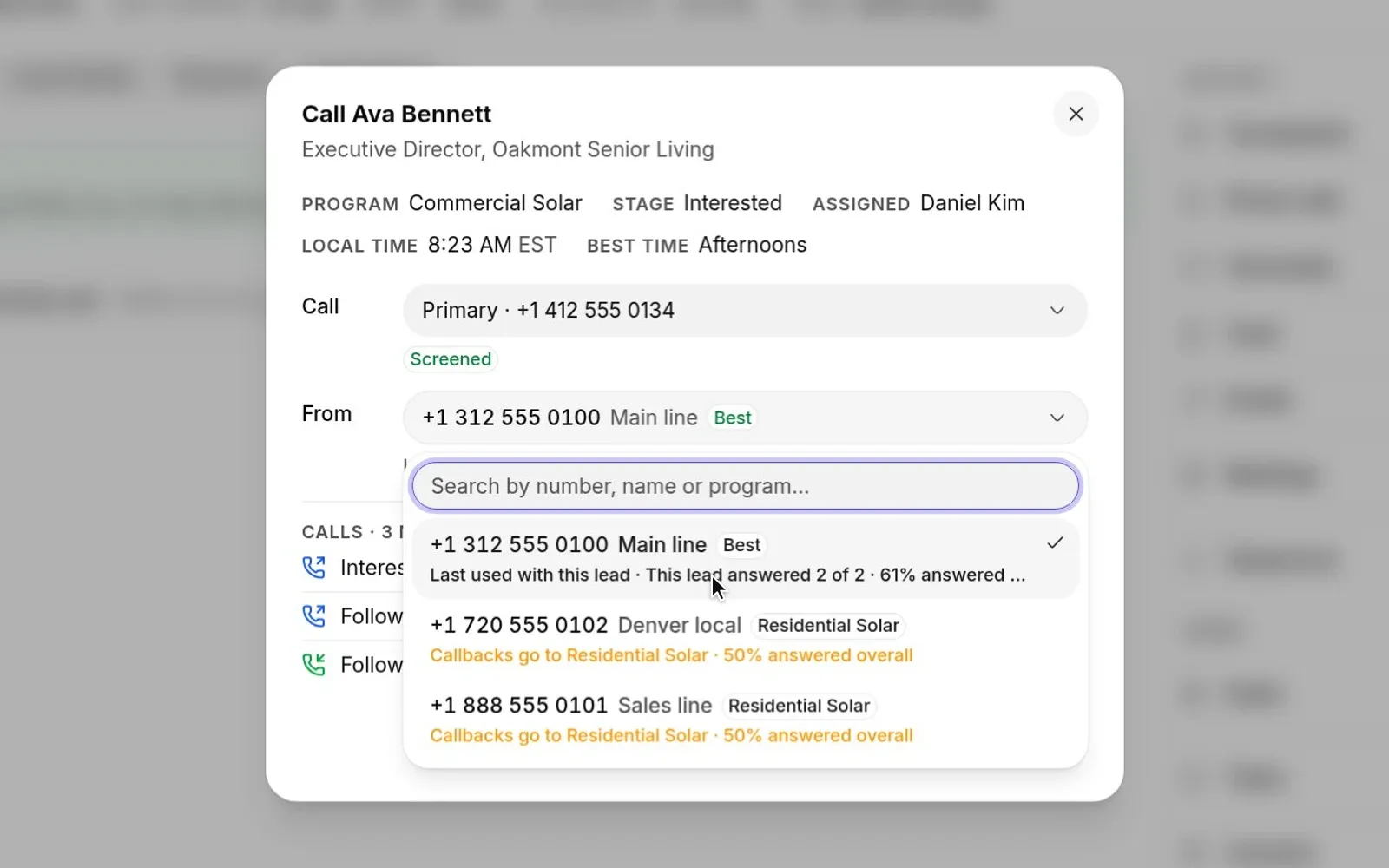
When you place a call, the call dialog's From box shows the number the person you're calling will see. Adoptiv fills in the best number for that lead. To use a different one, click From, pick another number and press Call.
Which numbers you can use
- Owners and admins can call from any active number in the workspace.
- Everyone else can call from the free number they claimed and from numbers routed to them (A person under Routing on the Numbers page).
- A number someone claimed as their own can only be used by them.
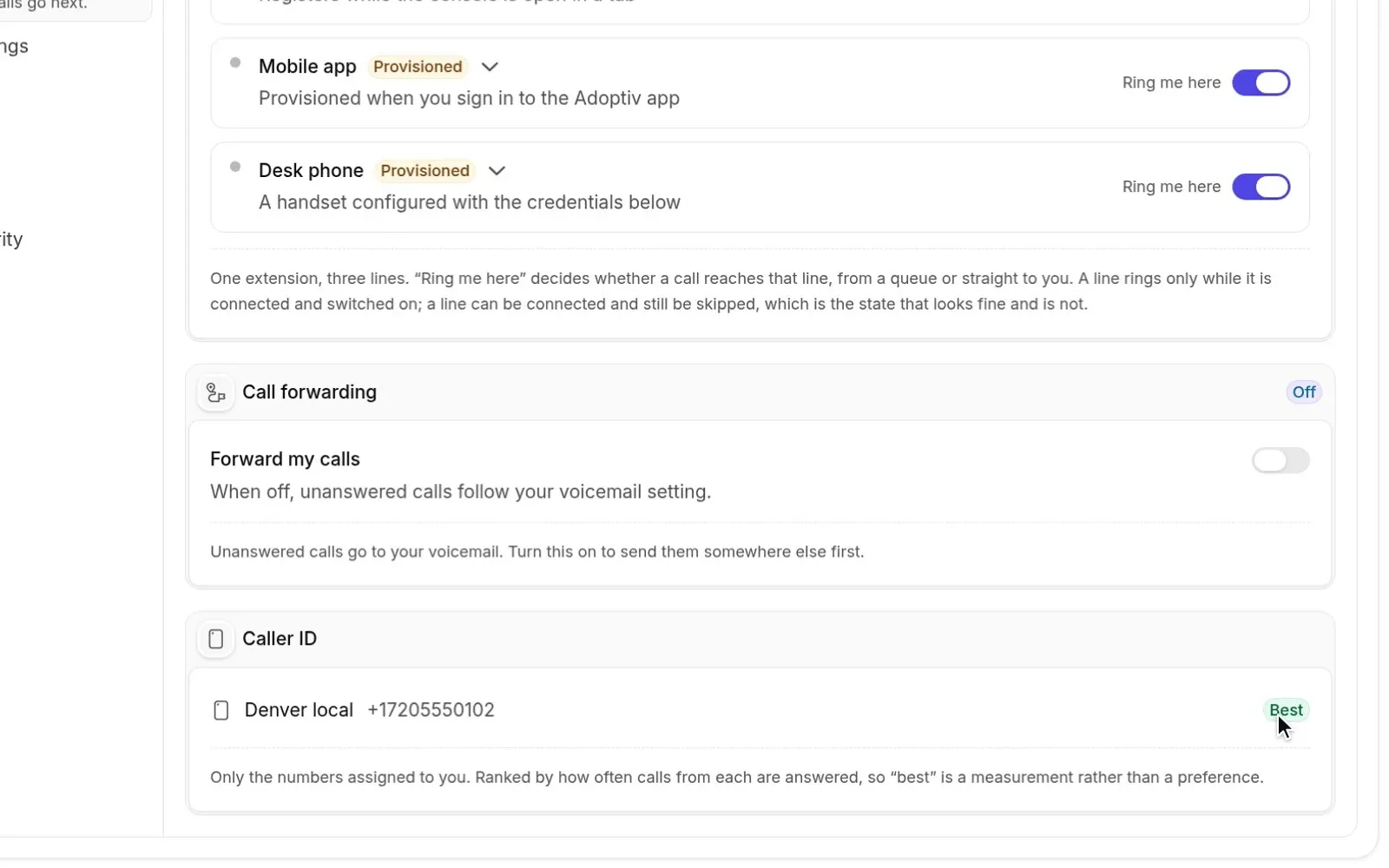
To see the numbers assigned to you, open your Profile and choose Devices. The Caller ID card lists them, and marks the one whose calls are answered most often as Best.
Change the number for one call
- Start a call, for example by pressing Place Call on a lead.
- In the call dialog, click the From box.
- Search by number, name or program, and pick a number. Under each one, a short line says why it's ranked where it is, such as "Last used with this lead" or "Same area code".
- Press Call.
Your pick applies to that call only. The next time anyone calls that lead, the number used last time gets a strong boost in the ranking below.
How Adoptiv picks the best number
For each call, your numbers are ranked in this order:
- Your own number. A number you claimed always comes first, because it's the number that rings you back.
- The lead's program. Numbers that belong to the lead's program come next, then shared numbers. A number from another program comes last and is marked "Callbacks go to" that program, because a return call rings there.
- Numbers the lead keeps ignoring. If this lead didn't answer a number the last two times in a row, it moves below the other numbers in its group and says so.
- Everything else is scored. The number last used with this lead counts most, then a number this lead has answered before, then one in the same area code or state as the number you're dialing, then each number's answer rate overall.
Calling needs your business to be approved. See Get your workspace approved for calling.