
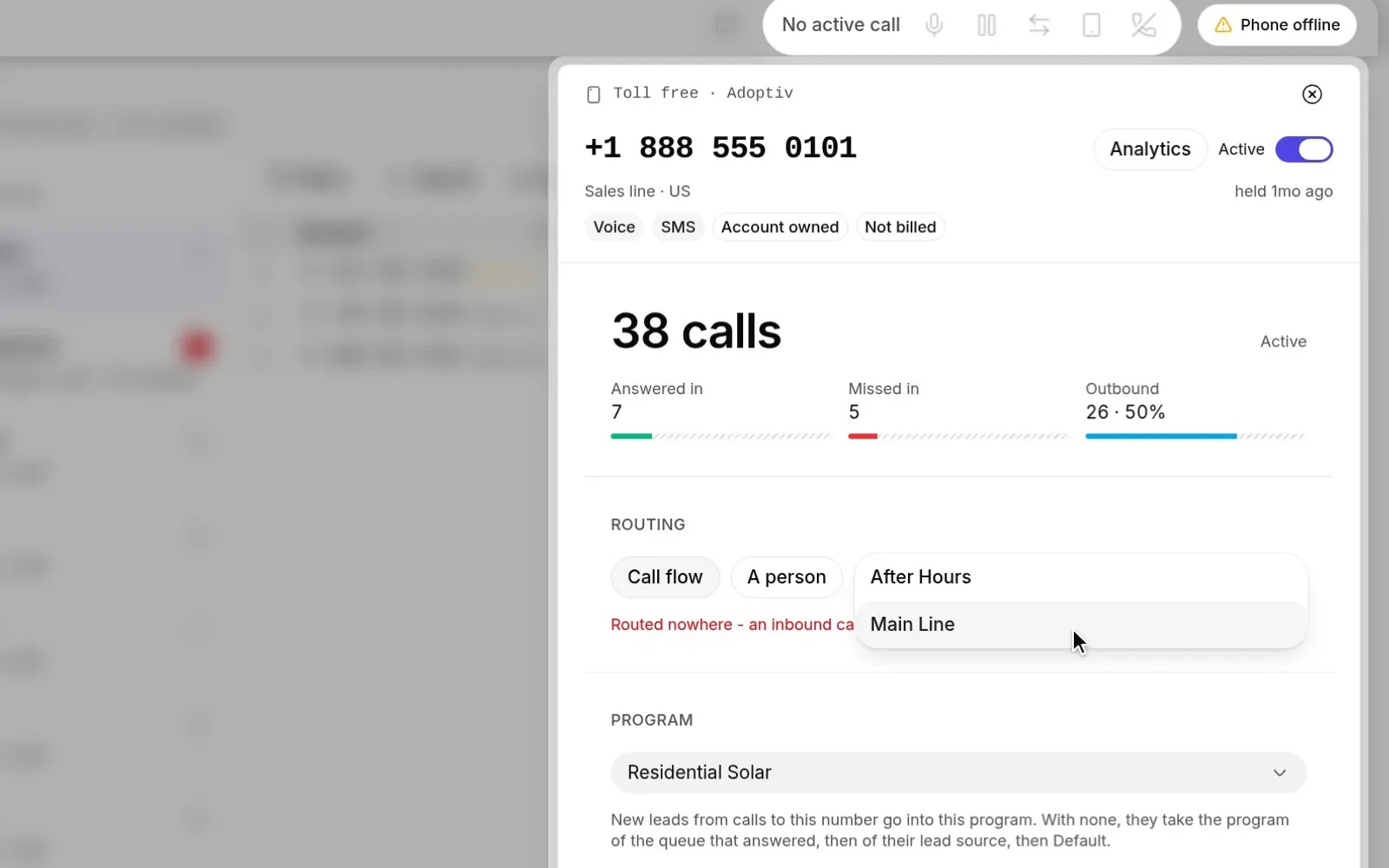
To choose where a number's calls go, open Telephony → Numbers, click the number, and under Routing pick Call flow or A person, then choose which one. The change saves as soon as you pick.
Before you start
- You need the Telephony & AI permission to open Telephony.
- To send calls to a call flow, build the flow first. See Build a call flow.
Route one number
- Open Telephony → Numbers.
- Click the number to open it.
- Under Routing, choose Call flow to send calls through one of your call flows, or A person to ring one person directly.
- Pick the flow or the person from the list.
There's no Save button: the panel says Changes save as you make them.
Route many numbers to one call flow
- Open Automation → Call flows and open the flow.
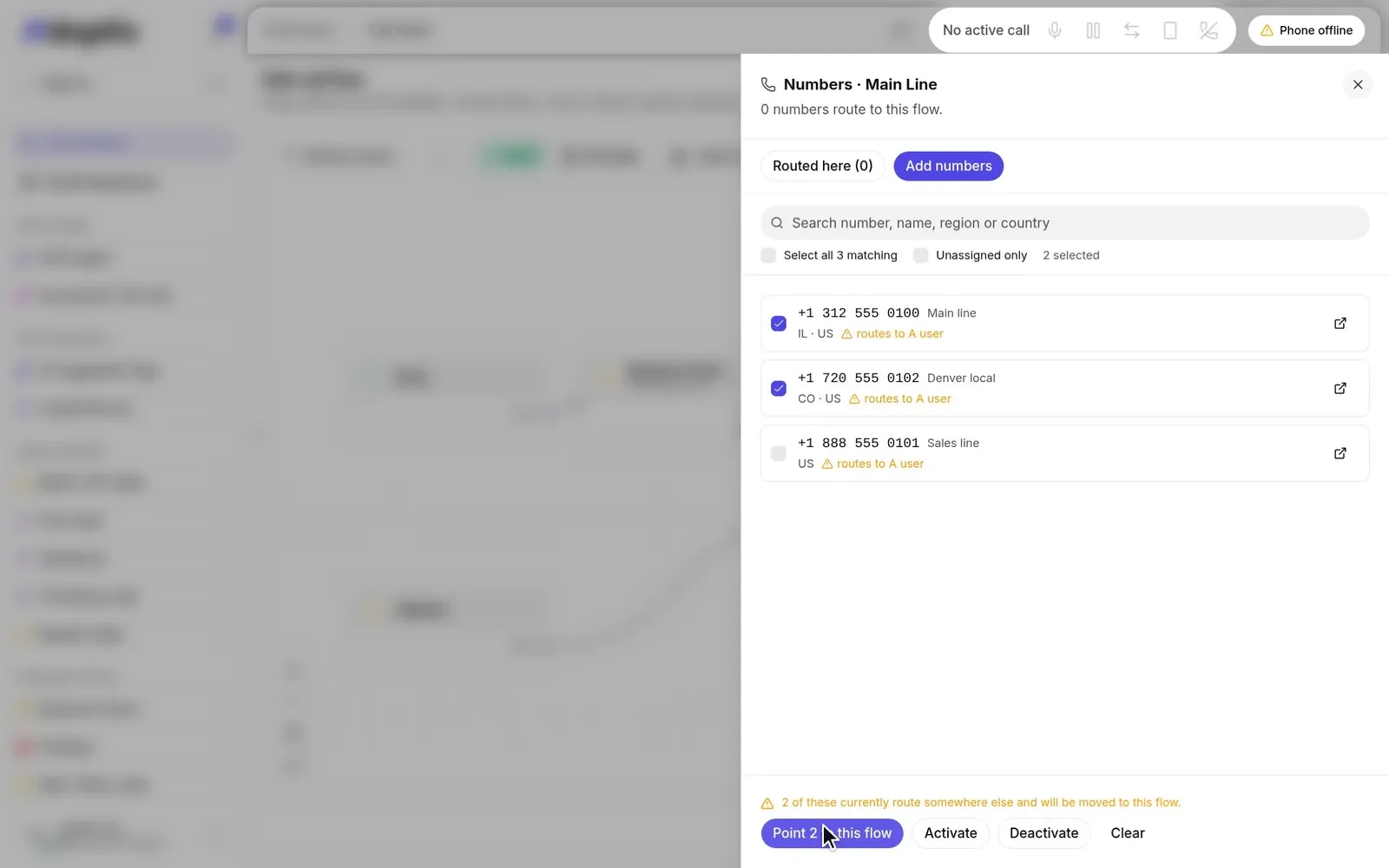
- Press Numbers.
- Press Add numbers and tick the numbers you want. Each one shows where it points now.
- Press Point followed by the count, to this flow. If some of them route somewhere else today, you're told how many will move.
Routed here lists the numbers already on the flow. Tick some and press Remove from flow to take them off.
Find numbers that ring nobody
A number with no destination shows Routed nowhere - an inbound call on it rings nobody. If its call flow was deleted, it shows Flow deleted. Choose Unrouted or Needs attention on the left of the Numbers page to list them.
Good to know
- A number someone claimed as their own free number always rings them, and its routing can't be changed.
- When a number rings a person who doesn't answer, their call forwarding decides what happens. By default the call goes to their voicemail. Each person sets this in their Profile under Devices, in Call forwarding.
- Routing a number to a person also lets them use it as their caller ID. See Choose which number your calls show.
- If you have more than one program, Program on the number's panel sets which program new leads from calls to it go into.
- Owners and admins can stop a number taking calls with the switch at the top of its panel. It then shows Inactive.