
To give up a number, open it in Telephony → Numbers and use the button at the bottom of its panel: Request cancellation for a number you're paying for, or Release for one you aren't.
Before you start
- Only an owner or admin can release a number or switch it off.
- Owners, admins and people with the Manage Billing permission can request cancellation.
- Check what the number is used for. Any call flow pointing at it stops receiving calls on it.
Cancel a number you pay for
- Open Telephony → Numbers and click the number.
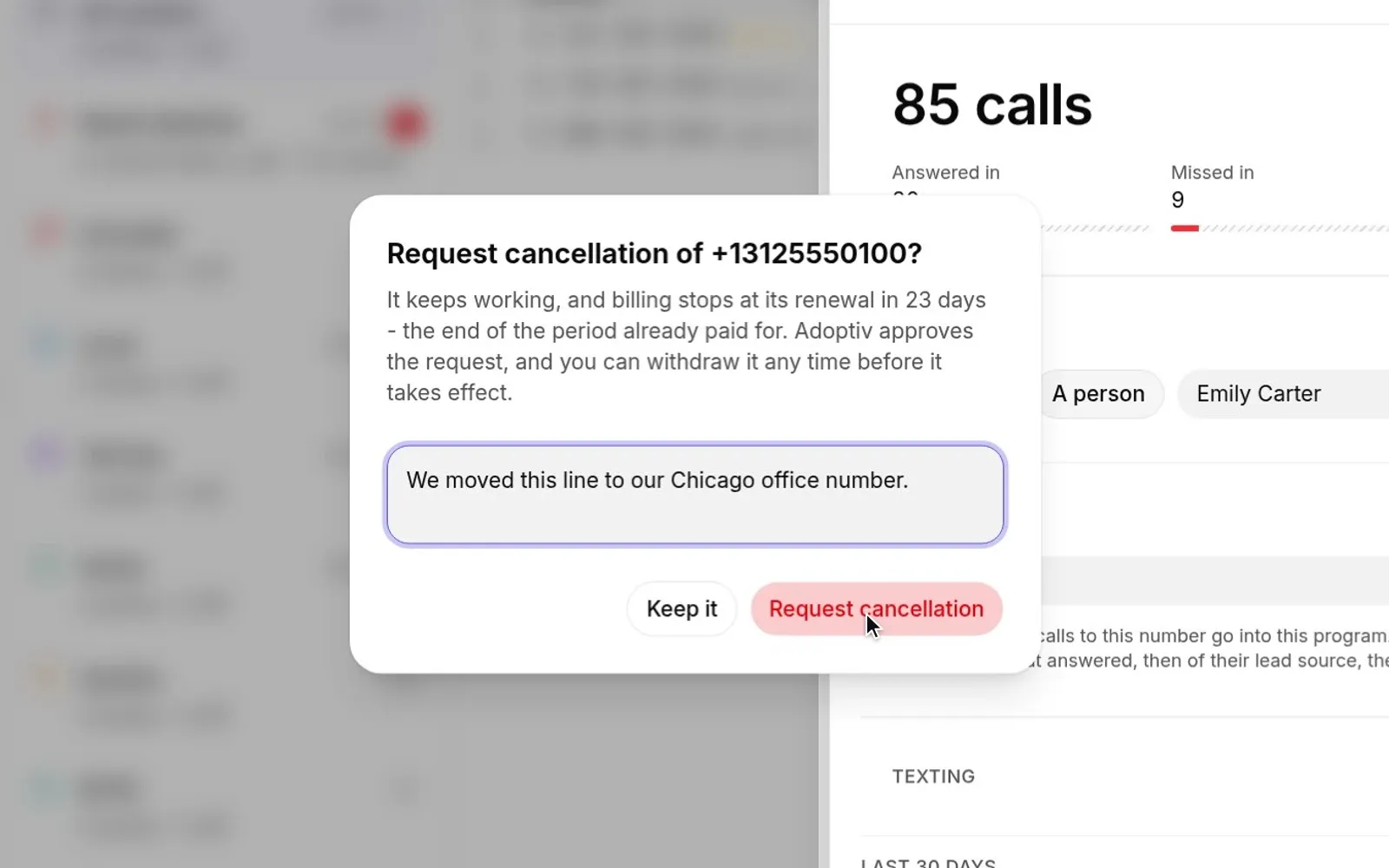
- Press Request cancellation.
- Add a reason if you like, then press Request cancellation.
The number keeps working, and billing stops at its next renewal - the end of the period you've already paid for. Adoptiv approves the request. You can press Withdraw cancellation any time before it takes effect.
Release a number
- Open the number.
- Press Release.
- Press Release again to confirm, or Keep it to stop.
For a number that runs on your own carrier, the button is Remove from carrier. The number leaves Adoptiv but stays with your carrier.
Several numbers at once
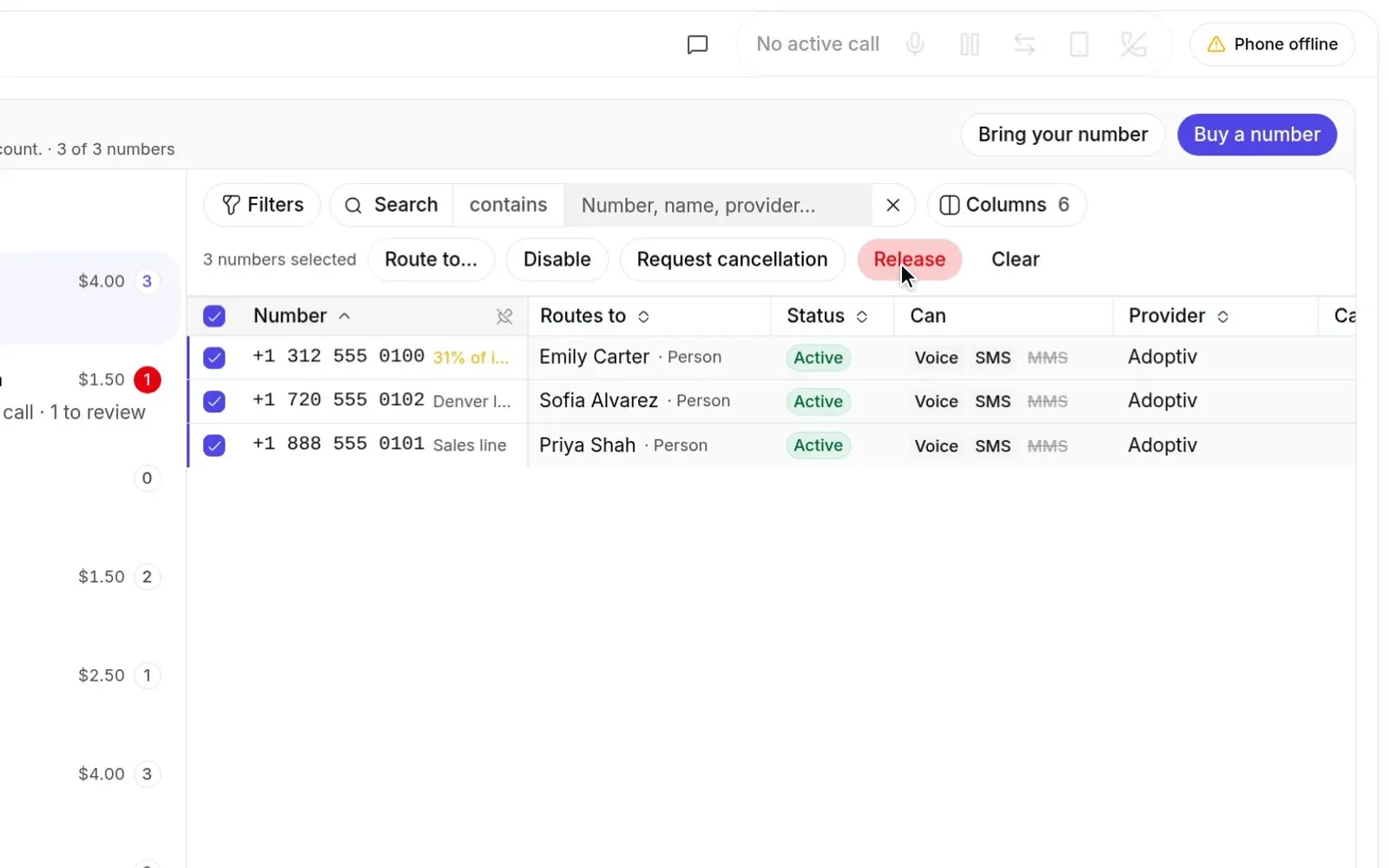
- On the Numbers page, tick the numbers.
- From the bar that appears, choose Request cancellation, Withdraw cancellation, Disable or Release.
- Read the confirmation and confirm.
Numbers you pay for aren't released on the spot. The dialog says which ones those are and offers Request cancellation for them instead.
Stop calls without giving the number up
To stop a number taking calls but keep it, use the switch at the top of its panel. It then shows Inactive. Turn the switch back on when you need it again.