
To buy numbers, open Telephony → Numbers, press Buy a number, choose where you want them and how many, and press Place order. You pay from your wallet as each number arrives.
Before you start
- Your business must be approved for calling. See Get your workspace approved for calling.
- You need to be the workspace owner or an admin, or have the Manage Billing permission.
- Numbers are paid from your wallet. Add credit first if your balance is low: Add credit to your wallet. For prices, see Pricing.
- Adoptiv sells US numbers only, local and toll free.
Claim your free number
Your plan may include a free US local number for each user. If you can still take yours, you'll see Claim your number in the header, or Claim my number on the Numbers page.
- Press Claim your number (or Claim my number).
- Under Where should it be?, pick a state. It starts on the state for your time zone. The state turns green when a number can be had there and red when none can.
- Press Claim a number in followed by the state.
The number is yours at no charge, and it always rings you. If it has to be ordered, it usually arrives within a few minutes. Owners and admins can also use Claim a number for a member for someone who hasn't taken theirs.
Order numbers
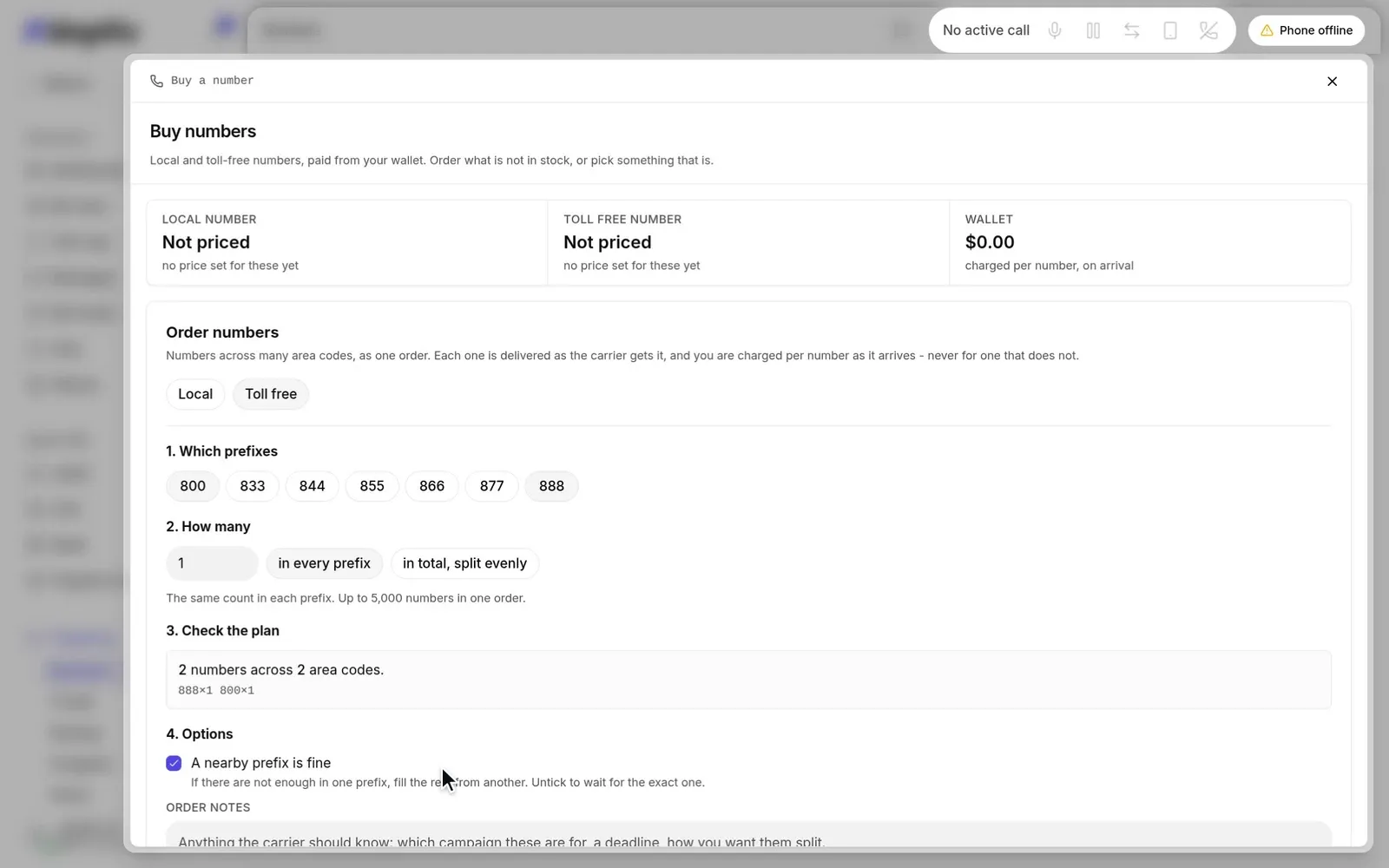
- Open Telephony → Numbers and press Buy a number. The panel shows what each kind of number costs and your wallet balance.
- Under Order numbers, choose Local or Toll free.
- Under 1. Where, pick one or more states, or press All 50 + DC. For toll free, pick one or more prefixes, such as 800 or 888.
- Under 2. How many, enter a number and choose in every area code or in total, split evenly. One order can hold up to 5,000 numbers.
- Read 3. Check the plan. It shows how many numbers go to which area codes.
- Under 4. Options, leave A nearby area code in the same state is fine ticked to fill any gap from another area code, or untick it to wait for the exact one. Add Order notes if the carrier needs to know something.
- Press Place order. Nothing is charged yet.
When your numbers arrive
- Each number appears on the Numbers page as the carrier delivers it. You're charged for each number as it arrives, never for one that doesn't.
- While an order is open, a strip at the top of the Numbers page says so. Press View orders for details.
- An order still open after 48 hours is cancelled. Numbers that arrived before then are kept.
Next, choose where calls to the new number go: Choose where calls to a number go.