
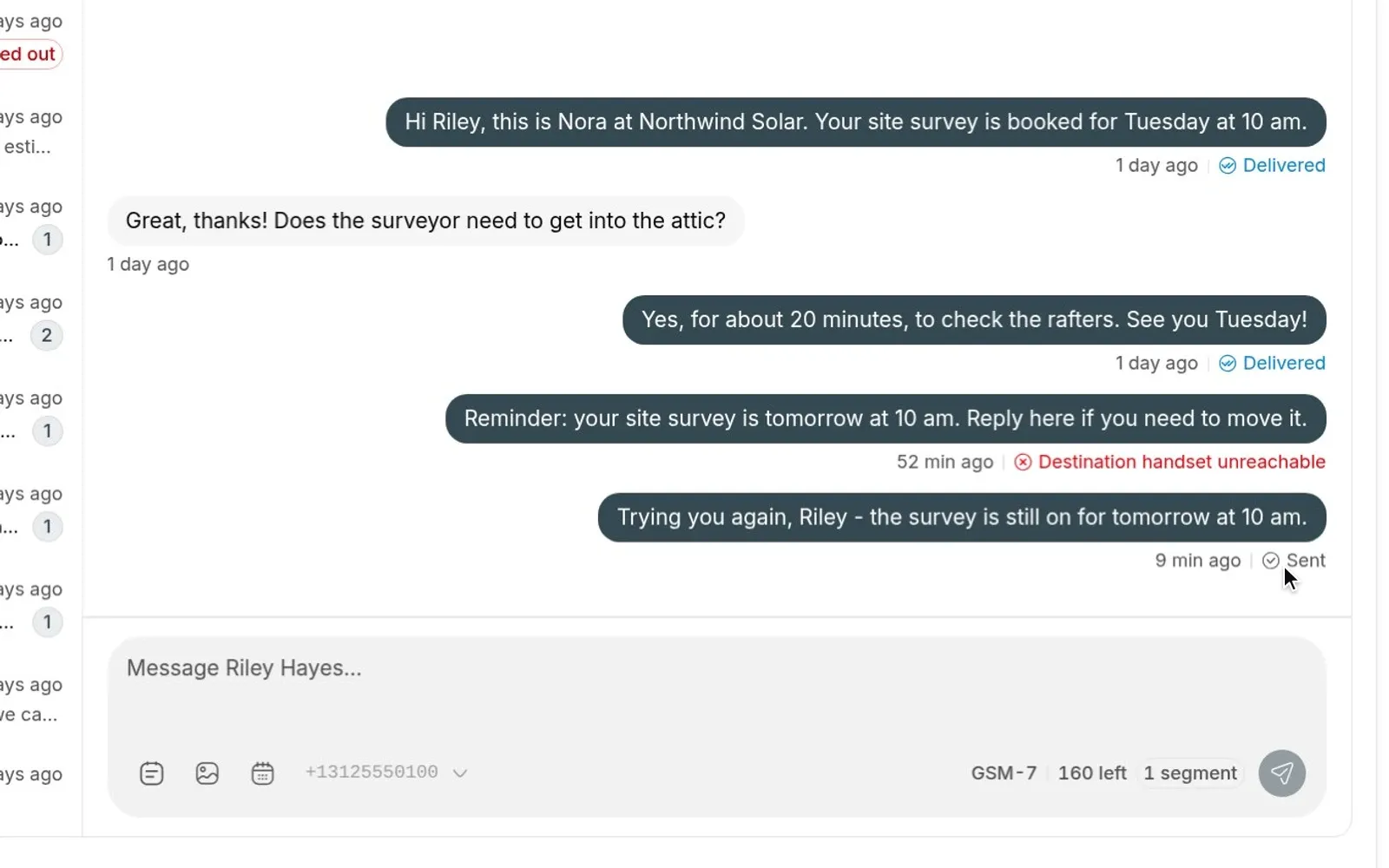
To see what happened to a text, open the conversation in Messages and look under the text. Delivered means it reached the phone. Sent means it left Adoptiv but delivery isn't confirmed yet. A text that failed is marked in red, with the reason in place of Failed. Then find the cause below.
| Status | What it means |
|---|---|
| Sent | Adoptiv accepted the text and it's on its way, or already with the carrier. Delivery isn't confirmed yet. |
| Delivered | The carrier confirmed it reached the phone. |
| Failed | It didn't go out, or the carrier couldn't deliver it. |
In a lead's Texts, a text that hasn't gone out yet shows queued after its time, and one that didn't go through shows failed.
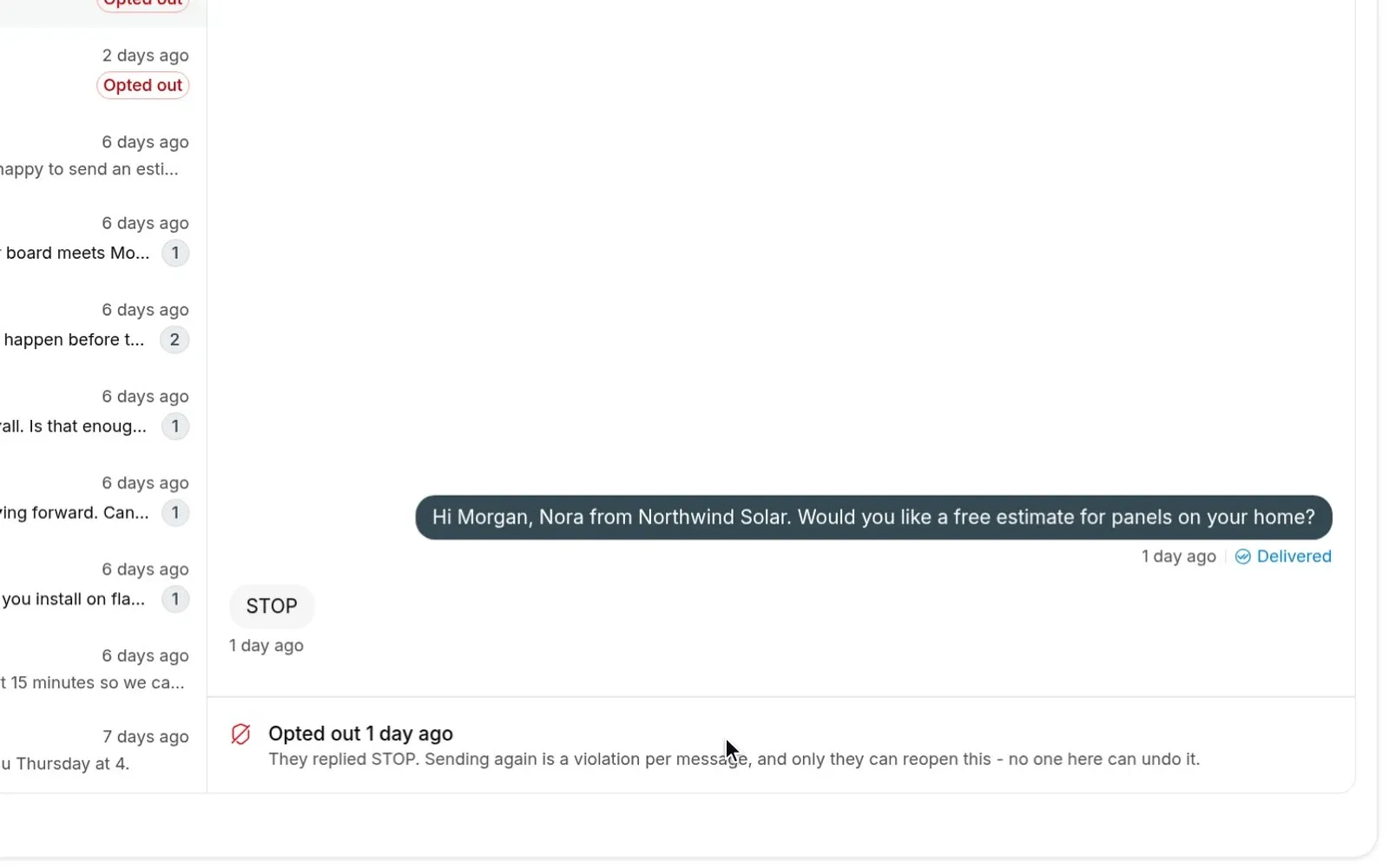
They replied STOP
Texts to someone who opted out fail. Their conversation in Messages shows Opted out with no reply box. In the lead's Texts you see They replied STOP from this number. No text can go to them, so there is no reply box.
Nobody in your workspace can undo this. Only the person can, by texting START, UNSTOP or YES to your number. See Text opt-outs: STOP and START.
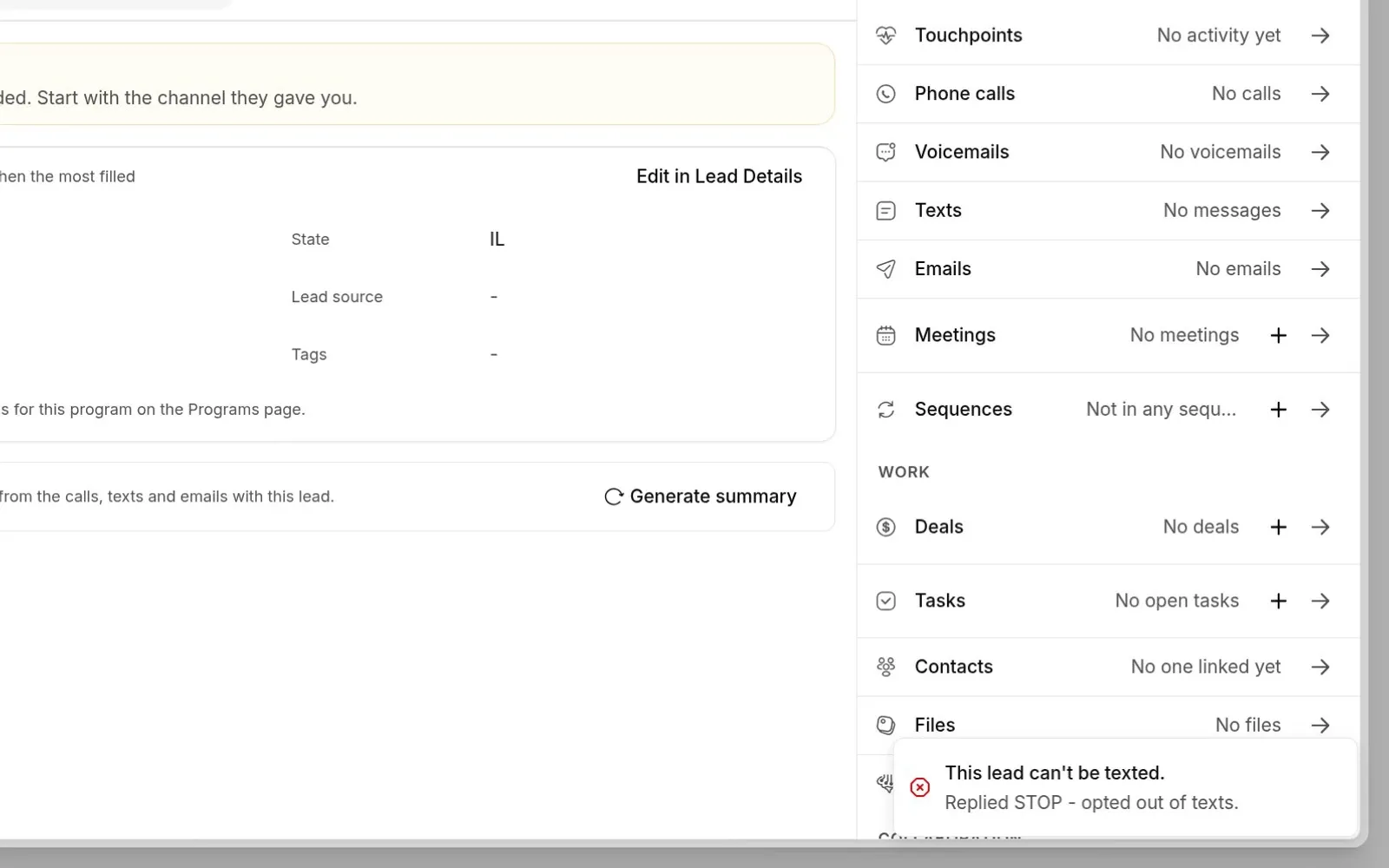
The lead can't be texted
Pressing Send SMS shows This lead can't be texted with the reason:
- Replied STOP - opted out of texts: despite the wording, this means Do not text is set to Yes on the lead's Compliance tab. A STOP reply shows in the conversation instead, as described above.
- On your internal do-not-call list: the lead is marked Internal DNC, which stops calls and texts.
If a flag was set by mistake, someone who can edit the lead's Compliance tab can change it. A STOP reply can't be undone this way.
Your number can't send texts
The conversation says Replies are off on this line, or the text is refused with a sentence such as:
- Texting is switched off for this number. Switch it on in Telephony › Numbers, or text from another number.
- This number is switched off, so it can't send texts. Switch it on in Telephony › Numbers, or text from another number.
- This number's carrier doesn't support texts. Text from another number.
- That number isn't in this workspace any more. Text from another number.
An owner or admin can check the number in Telephony → Numbers. To use a different number, start a new conversation from the lead's Texts and pick it under Send from. See Get your numbers ready to send texts.
Your business isn't verified yet
Texts wait for approval, like calls. Send SMS shows Verify your business to start calling. See Get your workspace approved for calling.
The number can't take texts
- It's a landline. On a lead with more than one number, open the number menu at the top of their record: under Text, a landline has a Landline badge. Landlines usually can't receive texts, so text their mobile instead.
- The number isn't valid, for example a digit is missing. Check it on the lead.
- Texts to this destination are not available on Adoptiv. Adoptiv doesn't send texts to that kind of number or country.
Depending on your plan, texts also need credit in your wallet. See Pricing and Add credit to your wallet.
It says Sent, but it never arrived
Sent means the carrier took the text but hasn't confirmed delivery. The phone may be off or out of coverage, or the receiving carrier may have held the message back. Check that the number is a mobile, and ask the person whether it arrived. Adoptiv handles 10DLC registration for your texts, so there's nothing for you to register.
If nothing here helps
Contact Adoptiv support by live chat on adoptiv.com/help, or by email at support@adoptiv.com. It helps to send the number you texted from, the number you texted, the date and time, the status or reason shown under the text, and whether other texts from that number get through.