
Email and texts, in 16 short videos
Connect your mailbox, send email and texts, and follow up automatically. Watch it through in three minutes, or read each step.
5 articles16 videos · 3:2814 min read
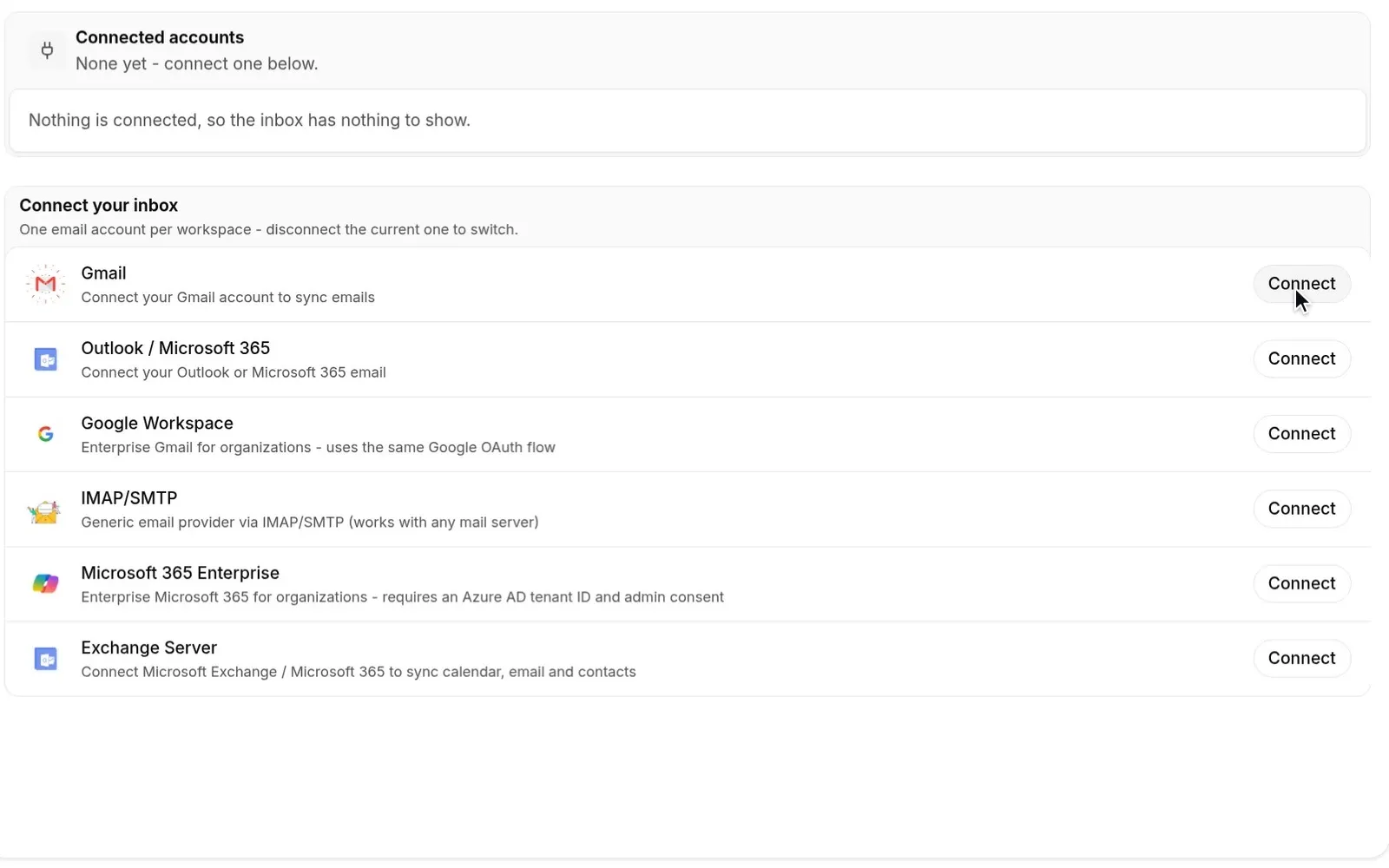 0:11Step 1 · Connect Gmail or Outlook
Video 1 of 16
Connect your mailbox
Opening My Emails from the sidebar and choosing the Connections tab, which lists Gmail, Outlook / Microsoft 365, Google Workspace, IMAP/SMTP, Microsoft 365 Enterprise and Exchange Server, each with a Connect button.
Read this part of the articlePrefer to read?
The five articles, in order
- 1
Connect your mailbox
Connect Gmail, Outlook, Microsoft 365 or any IMAP/SMTP mailbox so you can read and send email in Adoptiv, share a team mailbox, and add a signature.
3 min read · 4 videosAll 7 sections: Connect your mailbox - 2
Send an email
Write and send an email from My Emails or a lead's record, schedule it for later, undo a send, track opens and clicks, and reply to mail in your inbox.
3 min read · 3 videosAll 6 sections: Send an email - 3
Use email templates
Create reusable email templates with merge variables and attachments, organize and share them in groups, and use them in any email.
3 min read · 3 videosAll 6 sections: Use email templates - 4
Send and receive texts
Text a lead from their record, read and answer replies in Messages, and understand opt-outs, delivery status and why a text can't be sent.
2 min read · 3 videosAll 5 sections: Send and receive texts - 5
Follow up automatically with sequences
Build an email sequence that sends, waits and branches on what each lead does, publish it, and enroll leads by hand, in bulk or automatically.
3 min read · 3 videosAll 6 sections: Follow up automatically with sequences
Other topics
Still need help?
Chat with our team, or email us and we will get back to you.