
Compliance, in 14 short videos
Calling hours, Do Not Call lists, blocked callers, text and email opt-outs, and the consent records you keep. Watch it through in three minutes, or read each step.
5 articles14 videos · 2:3216 min read
 0:13Step 1 · Calling hours
Video 1 of 14
Calling hours and do-not-call checks
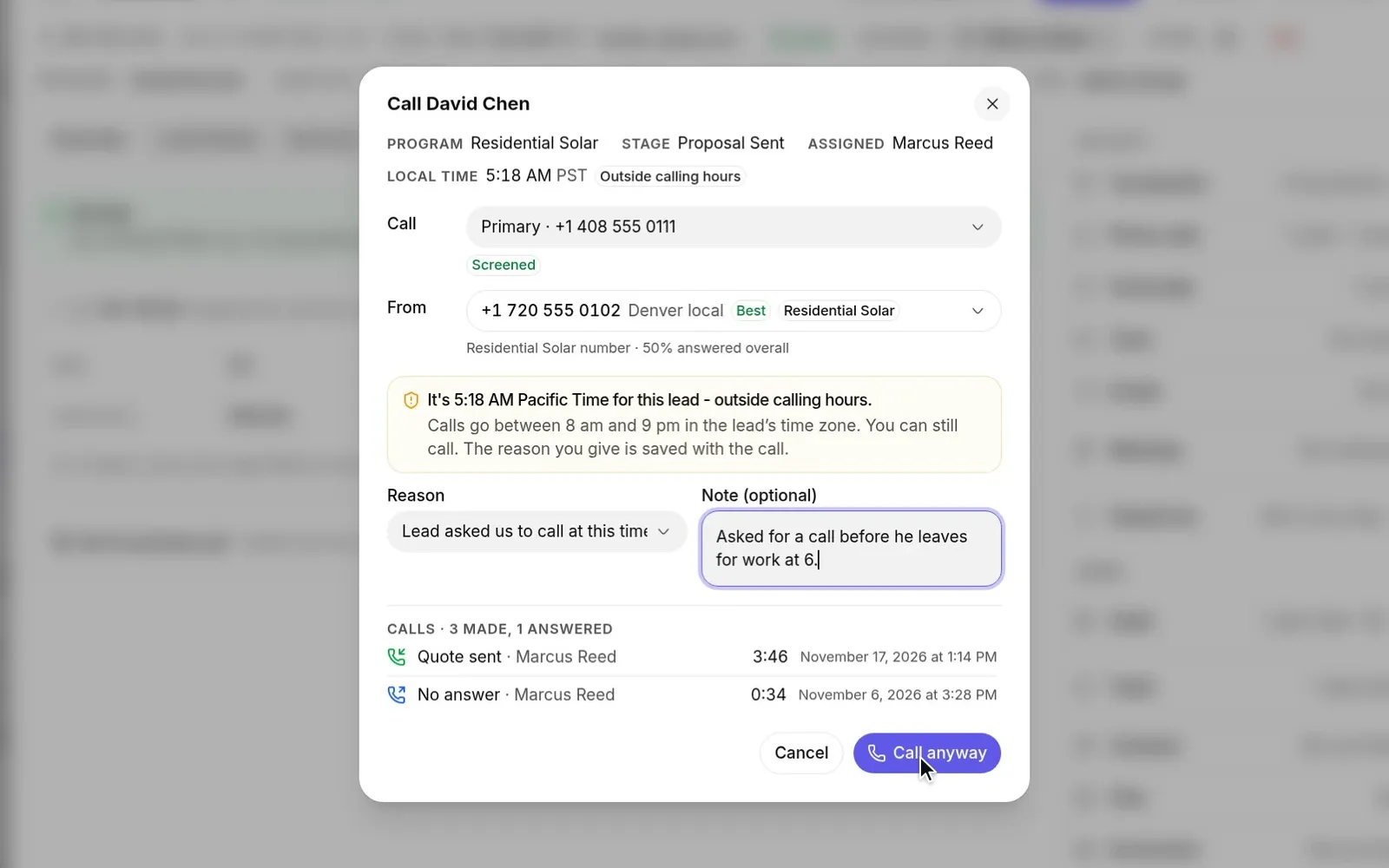
Pressing Place Call on a California lead early in the morning: the call dialog warns it is outside calling hours, a reason is picked, a note typed, and the pointer rests on Call anyway.
Read this part of the articlePrefer to read?
The five articles, in order
- 1
Calling hours and do-not-call checks
How Adoptiv checks each call against calling hours and do-not-call lists, what to do when it warns you, and how to add numbers to your own do-not-call list.
3 min read · 3 videosAll 4 sections: Calling hours and do-not-call checks - 2
Manage your Do Not Call lists
Keep the numbers your team must never call on your own do-not-call lists: add numbers, keep separate lists, switch a list off, remove a number, and see what blocks calls, texts and email.
4 min read · 3 videosAll 6 sections: Manage your Do Not Call lists - 3
Text opt-outs: STOP and START
What happens when someone replies STOP: which words count, what an opt-out covers, where you see it, how to stop texts to a lead yourself, and how a person opts back in.
3 min read · 3 videosAll 5 sections: Text opt-outs: STOP and START - 4
Email unsubscribes and suppressions
Which emails Adoptiv refuses to send, what happens when someone unsubscribes or an address bounces, and how to manage the Do-Not-Contact list and check one person.
3 min read · 3 videosAll 7 sections: Email unsubscribes and suppressions - 5
Keep consent evidence
Store TrustedForm certificates, Jornaya LeadiDs and the wording a person agreed to on each lead, and find that proof later - even after the lead is deleted.
3 min read · 2 videosAll 5 sections: Keep consent evidence
Other topics
Still need help?
Chat with our team, or email us and we will get back to you.