Outbound dialers: the complete guide to power, progressive, predictive and preview dialing
Adoptiv Team··Updated ·13 min read
Short answer
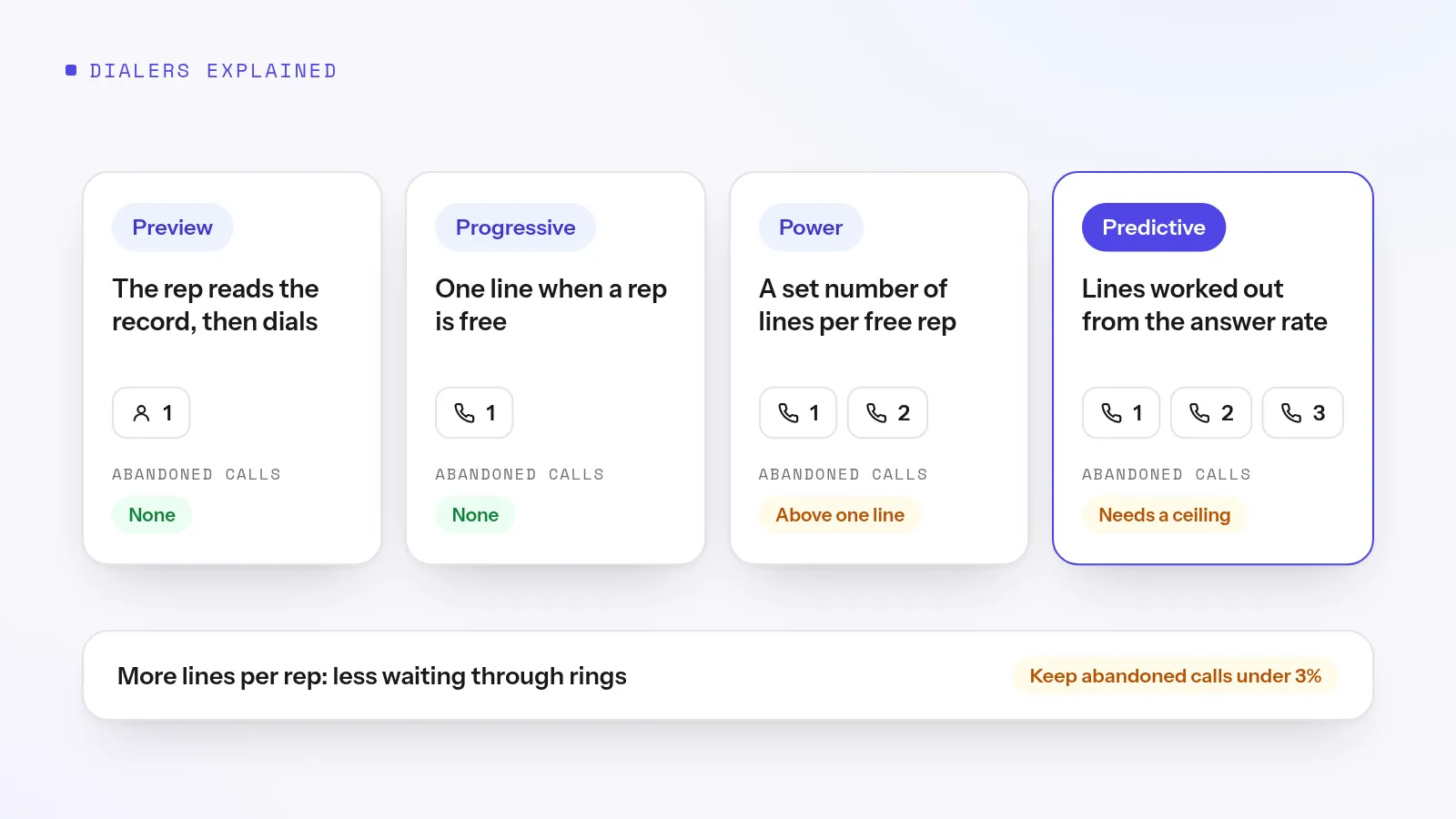
An outbound dialer calls numbers from a list for your reps, so they spend the day talking instead of typing numbers and waiting through rings. The modes differ in how far ahead of the reps they dial. Preview shows the record and waits for the rep. Progressive dials one number when a rep is free. Power dials a set number of lines per free rep. Predictive works out how many lines to dial from the live answer rate. Faster modes mean more conversations per hour, but also more risk of abandoned calls, so the right choice depends on your team size, your list and your compliance rules.
"Dialer" covers everything from a click-to-call button to software that runs dozens of lines for a full floor. Picking the wrong kind costs either time, with reps waiting through rings, or trouble, with abandoned calls and burned numbers. This guide explains every mode, the numbers that matter, the rules that apply, and how to choose. Each section links to a deeper guide.
What an outbound dialer does
A rep dialing by hand spends much of each hour on things that aren't conversations: finding the next number, typing it, listening to it ring, reaching voicemail, logging the result. On a typical cold list, most calls don't connect. A dialer takes over the dialing and the waiting, then hands the rep a live call, or at least the next record, as soon as they're ready.
Every dialer does three jobs: it decides which record comes next, it decides when and how many numbers to dial, and it records what happened. The second job is what separates the modes. "Auto dialer" is the umbrella term for all of them, and our guide to auto dialer vs power dialer untangles the names.
The four dialing modes
Mode
How it dials
Rep waits through rings?
Abandoned calls
Best for
Preview
Shows the record; the rep presses dial
Yes
None
High-value contacts, callbacks, complex accounts
Progressive
One line as soon as a rep is free
Yes
None
Small teams, warm leads
Power
A set number of lines per free rep
Less
Possible above one line
Small to mid teams on cold lists
Predictive
Lines calculated from answer rate and free reps
Rarely
Possible, so it needs a ceiling
Larger teams on big, low-answer lists
Preview dialing
Preview dialing opens the next record and waits. The rep reads the history, notes and last outcome, then presses dial. Some dialers add a countdown that dials automatically or skips the record if the rep doesn't act. Preview is the slowest mode, but nobody ever answers to silence, and every call starts with context.
Use it for renewals, key accounts, callbacks someone asked for and any list where a wrong opening line costs more than the time saved. Many teams run preview on their hot leads and a faster mode on everything else. When the slower pace pays for itself, and when it doesn't, is the subject of what is preview dialing?
Progressive dialing
Progressive is the term the industry uses for dialing one number per rep, automatically, the moment that rep finishes the last call. The rep still hears the ring and the voicemail greetings, so the time saved is the typing and searching. Because only one call goes out per free rep, there are no abandoned calls. It's a safe step up from manual dialing for a small team.
A power dialer opens a fixed number of lines for each free rep, such as two or three, and connects the first live answer. The others are released, sent to voicemail detection, or, if two people answer at once, one may be abandoned. More lines per rep means more conversations per hour on a list with a low answer rate, and more risk of abandoned calls.
Start at a low ratio and raise it only while your abandon rate stays well under your limit. How to pick the number of lines, and when to change it, is in dialing ratio: how many lines per agent? For the full explainer, see what is a power dialer? Power dialing is also easy to confuse with parallel dialing, where one rep's dialer rings several numbers at once and drops the rest; power dialer vs parallel dialer explains the difference.
Predictive dialing
A predictive dialer bets that most calls won't connect and dials ahead of the reps to make up for it. It watches how often the list answers, how many reps are free and how long calls last, and dials enough numbers that a live person is usually ready when a rep frees up. When it guesses high and more people answer than there are reps, the extra calls are abandoned.
The math needs volume. With only two or three reps on a campaign, the swings are too big: the dialer either abandons too often or slows to nearly progressive speed. A common rule of thumb is that predictive starts to pay off with around eight or more reps on one campaign and a list with a low answer rate. Our explainer what is predictive dialing? walks through how the pacing works and what to check before you switch it on.
Abandoned calls and the 3% rule
An abandoned call is one where a person answers and no rep is there to take it within a couple of seconds. Under the Telemarketing Sales Rule, a sales campaign must keep abandoned calls to no more than 3% of answered calls, measured per campaign over 30 days. The call must connect to a rep within two seconds of the person's greeting, the phone must ring for at least 15 seconds or four rings before the dialer gives up, and an abandoned call must play a short recorded message with the seller's name and a call-back number.
A good dialer treats the limit as a ceiling while it dials, slowing down as it approaches, rather than a number you discover in next month's report. Many teams set their own ceiling below the legal one for a margin of safety. How to measure the rate and bring it down is in abandoned call rate: what it is and how dialers keep it down. Rules differ for calls to mobile phones and for prerecorded messages, and some states add their own. This is general information, not legal advice, so check with your own counsel.
Answering machine detection and voicemail drop
On most outbound lists, machines answer more often than people. Answering machine detection (AMD) listens to the first moments of the call and decides whether a person or a voicemail greeting picked up. People go to a rep, and machines are released or handed a recorded message. AMD is never perfect: it takes a moment to decide, which can sound like a pause to a real person, and it sometimes mistakes one for the other. Our guide to answering machine detection covers how it works and when to turn it off.
Voicemail drop is the rep-side version: a rep who reaches a machine clicks once to leave a pre-recorded message and moves on. It saves the time of leaving each message by hand and keeps every message on script. Scripts and setup are in voicemail drop: what it is, how it works, and 6 scripts.
Preview, power and predictive campaigns with the CRM built in. Campaigns are in early access, so ask us to turn them on.
Call outcomes and what happens next
The last job of every call is recording how it went. A disposition, or call outcome, is the label a rep picks at the end: "Appointment set", "No answer", "Call back later", "Do not call". Good outcomes decide whether the record comes back and when, keep do-not-call requests from being missed, and make every report trustworthy. Too many choices and reps pick at random; too few and you can't tell a bad list from a bad script. Ready-made lists for sales, collections, insurance and support are in call disposition codes, and how outcomes should decide when a record comes back is in call outcomes that reorder your list: callback rules that work.
Compliance basics for dialer campaigns
Speed raises the stakes. A dialer that calls thousands of numbers a day can make thousands of mistakes a day. The basics for US campaigns:
Do-not-call lists. Screen against the National Do Not Call Registry, state lists where they apply, and your own internal list, and act on opt-outs at once.
Consent. Automated dialing and prerecorded messages to mobile phones need prior consent under the TCPA. Keep the evidence of how each lead agreed.
Calling hours. Federal rules allow 8 am to 9 pm in the contact's local time, and some states are stricter.
Abandoned calls. Stay under the 3% campaign limit, with the recorded message.
Caller ID. Show a real number that reaches your team and lets people opt out.
Caller ID matters for a second reason: dialing fast on too few numbers is the fastest way to get them labeled "Spam Likely". Our complete guide to business caller ID covers numbers, reputation and labels. This is general information, not legal advice, so check with your own counsel.
Lists and data quality
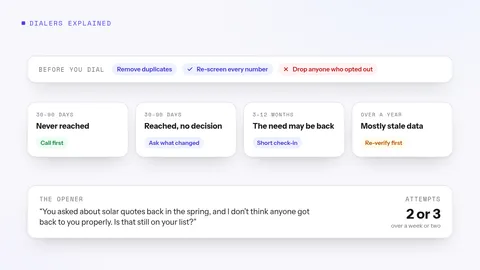
A dialer is only as good as the list behind it. Bad numbers, disconnected lines and duplicates waste dials, drag down your contact rate and teach analytics engines that your numbers make pointless calls. Before a list goes into a campaign, remove duplicates, drop numbers that failed validation, screen against do-not-call lists, and split it by source and age so you can see which lists actually produce conversations. Old lists need their own plan, and aged leads: how to work an old list with a dialer covers it.
Retry rules matter just as much. Calling the same number five times in a day annoys people and gets numbers flagged. Calling it once a week means the list goes stale. Most teams settle on a few attempts spread over different days and times, with the outcome deciding whether a record comes back at all; how many times should you call a lead? works through the numbers. A "Do not call" outcome should take the number out of every campaign at once, not just the current one.
Finally, call at the right time. Answer rates vary by hour and day, and the contact's local time, not yours, decides both whether they pick up and whether the call is allowed. A dialer that knows each lead's time zone and holds calls outside allowed hours saves you from both problems. Which hours and days tend to work is in the best time to make cold calls.
Rolling a dialer out to your team
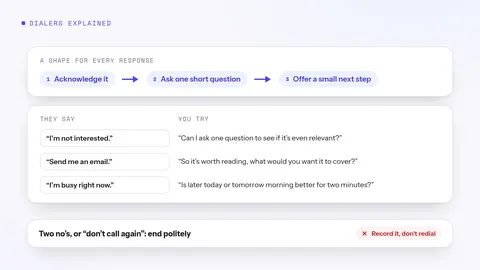
Switching from manual calling to a dialer changes a rep's day more than most managers expect. Calls come faster, there's less time to read up between them, and the first answered call can arrive before the rep has finished the last note. Start one campaign in preview, or power at one line per rep, so reps get used to the flow, then move a cold list to a faster mode once outcomes are being logged consistently. What reps say once someone picks up matters as much as the dialer; see cold call objection handling: 12 responses that work.
Give reps a short script for the first five seconds, because faster modes leave no room to improvise the opening. Whatever dialer you pick, give reps enough wrap-up time to log the outcome properly; wrap-up time: how long reps should get between calls helps you pick it. And review recordings in the first week: a sudden jump in very short calls usually means people are answering to a pause, which points at the dialing ratio or voicemail detection rather than the reps.
The numbers to watch
Metric
What it tells you
Watch for
Contact rate
Share of dials that reach a live person
A sudden drop: bad data or flagged numbers
Conversations per rep hour
Whether the mode is saving time
Flat after moving to a faster mode
Abandon rate
Answered calls with no rep in time
Creeping toward your ceiling
Rep wait time
Seconds between calls
Long waits: the dialer is too cautious, or the list is exhausted
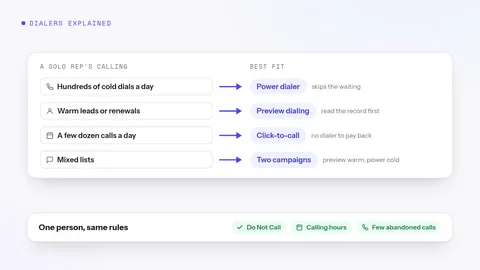
Count your reps on one campaign at a time. Under about five, preview and progressive or a low-ratio power dialer are usually enough. Eight or more on a big list is where predictive starts to pay.
Look at your list. Fresh inbound leads and callbacks deserve preview. Aged or purchased lists with low answer rates benefit most from faster modes.
Check the compliance controls. Do-not-call screening, an abandon ceiling the dialer enforces while it dials, calling-hours checks and consent records should be built in, not bolted on.
Keep the CRM in the loop. A dialer that writes every call, outcome and recording to the lead record saves the copy-paste and keeps managers honest about what happened.
Price the whole thing. Seats, minutes, numbers and do-not-call lookups add up differently from vendor to vendor.
Adoptiv is a CRM with the phone system and dialer built in, so every call, outcome and recording lands on the lead record. Outbound campaigns come in preview and power and predictive types. You pick the type when you create a campaign, and it stays fixed after that. Adoptiv doesn't have a separate progressive mode.
The predictive dialer paces itself from the live answer rate and the reps who are free, and slows down as it nears the campaign's abandoned-call ceiling, measured over 30 days. Setting a ceiling above 3% needs an explicit acknowledgment of the risk. Power and predictive campaigns can use answering machine detection to keep machines away from reps. Leads are checked against the federal Do Not Call registry, known litigators and your own lists through compliance screening, and by default a power or predictive campaign skips numbers that are listed or haven't been screened in the last 30 days. A preview campaign shows such a lead to the rep with a warning instead, and the rep can call after giving a reason.
Preview campaigns come with every plan. Power and predictive are on Dialer Plus and Enterprise, with dialer minutes billed from your wallet. Campaigns are in early access at the moment, so ask us to turn them on for your workspace.
What is the difference between an auto dialer and a predictive dialer?+
"Auto dialer" is the general term for any software that dials from a list. A predictive dialer is one kind: it decides how many lines to dial from the answer rate and the number of free reps.
Which dialing mode is fastest?+
Predictive, on a large list with enough reps. It keeps reps busiest, but it's also the mode most likely to abandon calls, so it needs an enforced ceiling.
Which dialing mode is safest for compliance?+
Preview and progressive, because they dial only for a rep who is already free, so nobody answers to silence. You still need do-not-call screening, consent and calling-hours checks.
How many reps do I need for a predictive dialer?+
Around eight or more on one campaign is a common starting point. With fewer, the pacing swings too much, and power or progressive dialing usually does better.
What is a good abandon rate?+
Comfortably under 3% of answered calls per campaign over 30 days, which is the Telemarketing Sales Rule limit. Many teams aim for 2% or less.
Does answering machine detection always work?+
No. It needs a moment to decide and sometimes gets it wrong. Test it on your own lists, and turn it off where a pause at the start of a call costs more than reps hearing voicemail.
Will a dialer get my numbers flagged as spam?+
It can, if it makes a lot of short or unanswered calls on a few numbers. Spread volume across enough numbers, clean your lists and watch each number's answer rate.
Can I use more than one dialing mode?+
Yes. Most teams use preview for hot leads and callbacks and a faster mode for cold or aged lists, on separate campaigns.
Adoptiv is the dialer, the CRM and the AI on one platform, where the busywork logs itself and your reps just talk. Try it free for 14 days, with no credit card.
Questions? Call +1 (844) 955-7733. SIYA answers and puts you through to a person.
Adoptiv Team. “Outbound dialers: the complete guide to power, progressive, predictive and preview dialing”. Adoptiv Inc, November 20, 2026. Retrieved from https://adoptiv.com/blog/outbound-dialer-guide