Most teams think about caller ID only once something goes wrong: answer rates fall off a cliff, a customer says "your call came up as spam", and nobody knows which number is the problem. This guide puts the whole topic in one place, from how a number gets its reputation to the routine that keeps a calling team out of trouble. Each section links to a deeper guide when you need the detail.
What shows up when you call
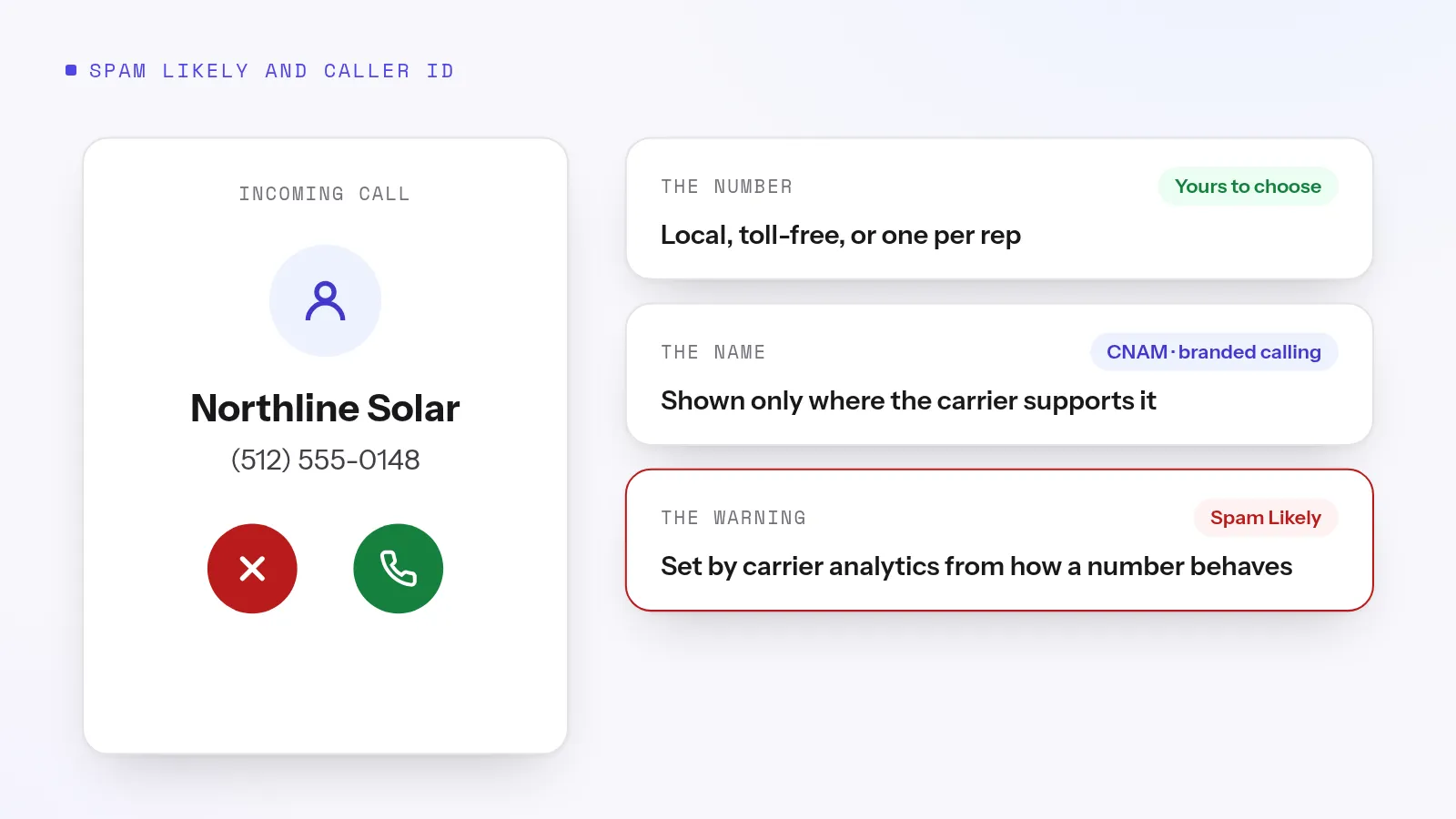
Three separate systems decide what a person sees when your call arrives, and they are run by different companies.
- The number. You choose the outbound number on every call. It can be the rep's own line, a shared main number, a local number in the contact's area, or a toll-free number.
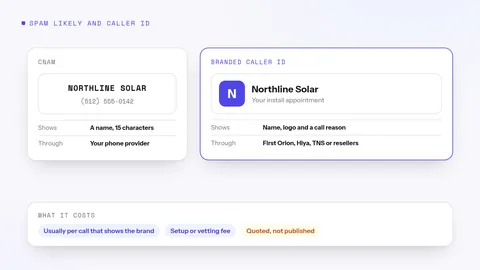
- The name. On many phones, a name appears under the number. It comes from caller name (CNAM) databases that the receiving carrier looks up, or from branded calling services that can also show a logo and a reason for the call. Names update on the carriers' schedule, not yours.
- The label. "Spam Likely", "Scam Likely", "Potential Spam" or "Telemarketer" come from analytics engines that the big carriers use. Hiya, TNS and First Orion are the main ones in the US. They score numbers from call patterns and complaints and can also block calls outright.
A clean number with no name looks like an unknown caller. A clean number with your business name looks trustworthy. Any number with a label looks like something to ignore, however good the name is. So the work splits into choosing numbers, putting your name on them, and keeping the label off.
Why business numbers get labeled "Spam Likely"
Labels are about behavior, not ownership. An analytics engine doesn't know that you're a legitimate insurance agency or a solar installer. It sees a number that makes hundreds of calls a day, many of them unanswered or hung up within seconds, sometimes to people who then report it. That pattern looks the same as a robocaller, and the engine reacts the same way.
The usual causes are high daily volume on one number, a low answer rate, lots of very short calls, complaints filed with carriers or the FTC, numbers that were recycled from a previous owner with a bad history, and calls signed with a low STIR/SHAKEN attestation. Our guide to why a business phone number gets marked as spam walks through eight causes and the fix for each.
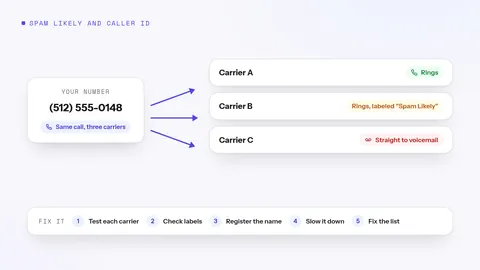
Two things make this frustrating. First, nobody tells you. The label lands on your number, your contacts see it, and you only notice when answer rates drop. (A drop can have other causes too, from the list to the time of day; why your answer rate dropped, and how to tell if it's your numbers sorts them out.) Second, each carrier uses its own engine, so a number can be clean on one network and flagged on another. That is also why calls can ring through on one carrier and go straight to voicemail on another; why calls go straight to voicemail on some carriers covers the causes.
How to check whether a number is flagged
There's no single public lookup that covers every carrier, so checking means combining a few signals. The most reliable is a test call: call phones on AT&T, Verizon and T-Mobile from the number and look at each screen. Free apps from the analytics engines and the carriers' own lookup tools help, but they don't always match what a real handset shows. Inside a caller ID pool, the per-number health signals help too; reading caller ID health walks through what they show.
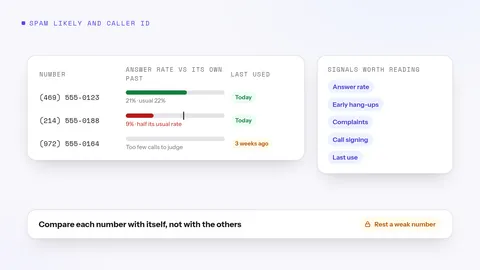
Your own call data is the early warning. A number whose answer rate suddenly halves, or whose answered calls start ending within a few seconds, has probably picked up a label somewhere. The step-by-step version is in how to check if your business number is flagged as spam.
How to remove a "Spam Likely" label
Removal is a request, not a switch. You register the number with each analytics engine, usually through the Free Caller Registry, which covers Hiya, TNS and First Orion in one form; how to register your business numbers with the Free Caller Registry walks through it. You ask the carriers for a review where they offer one. Then you fix whatever caused the label, because a number that keeps the same habits gets flagged again within days.
Expect a review to take from a few days to a few weeks, and expect no guarantee. Some numbers are better retired. Our full walkthrough, how to remove "Spam Likely" from your business number, covers the forms, what to put in them and when to give up on a number.
STIR/SHAKEN and attestation
STIR/SHAKEN is the system US carriers use to sign calls, so the receiving network can tell whether the caller ID was spoofed. The originating carrier attaches a signature with an attestation level:
- A (full): the carrier knows the customer and knows they're allowed to use that number.
- B (partial): the carrier knows the customer but can't confirm the number belongs to them.
- C (gateway): the carrier is passing the call along and can vouch for neither.
Attestation isn't a spam label, and an A doesn't stop a label. But analytics engines treat a B or C as a risk signal, and a call that comes through unsigned is more likely to be blocked. The simplest way to get A attestation is to call from numbers your provider issued to you, rather than numbers you brought from elsewhere and display without proof. Our explainer, what is STIR/SHAKEN attestation?, goes through the three levels and how to check which one your calls get.
Local, toll-free or one main number?
The number type changes both how people react and how carriers treat you.
Number type | Best for | Answer rates | Spam risk |
|---|---|---|---|
One main local number | Small teams, mostly inbound, one area | Good locally, weak elsewhere | High if a whole team calls out on it |
A local number per rep | Sales teams where contacts call back | Good, and callbacks reach the right person | Low at normal volume |
Local numbers by area | Outbound teams calling many states | Usually the highest for cold calls | Medium: needs enough numbers per area |
Toll-free | National brands, support lines, inbound | Lower for cold outbound | Medium, and needs toll-free texting verification |
Toll-free numbers signal a national business and are free for the caller, which suits support lines and ads. Local numbers get more cold calls answered because people pick up familiar area codes. The trade-offs are in toll-free vs local number: which should your business use?
Whatever the type, most business lines today are DIDs: direct numbers that ring straight through to a person, a team or a call flow without a switchboard in between. Our explainer what is a DID number? covers how they work and how many a team needs.
Local presence dialing
Local presence means calling each contact from a number with their area code, using numbers you own in those areas. Done well, it lifts answer rates. Done badly, it burns numbers: a handful of local numbers each making hundreds of calls a day is exactly the pattern analytics engines flag. It also backfires when a contact calls the number back and reaches nobody, or a stranger.
The rules of thumb: own the numbers you display, make sure callbacks reach your team, keep each number's daily volume modest, and match on area code only where you have the volume to justify it. The full picture, including when it doesn't help, is in local presence dialing: how it works, when it helps, and when it backfires, and choosing which area codes to own in the first place is covered in area code strategy for outbound sales teams.