Call disposition codes: lists for sales, collections, insurance and support
Adoptiv Team··Updated ·3 min read
Short answer
A call disposition code is the label a rep picks at the end of a call to record how it went, such as "Appointment set", "No answer" or "Do not call". Good codes drive the next step and make reports trustworthy. Most teams need 10 to 20 codes, grouped so reports add up.
Every call ends somehow. The disposition is the record of how. It sounds like admin, but it's what decides whether the callback happens, whether a number gets called again after someone asked you to stop, and whether your connect-rate report means anything.
Short. If reps have to scroll, they'll pick whatever's at the top.
No overlaps. "Not interested" and "Declined" mean the same thing. Pick one.
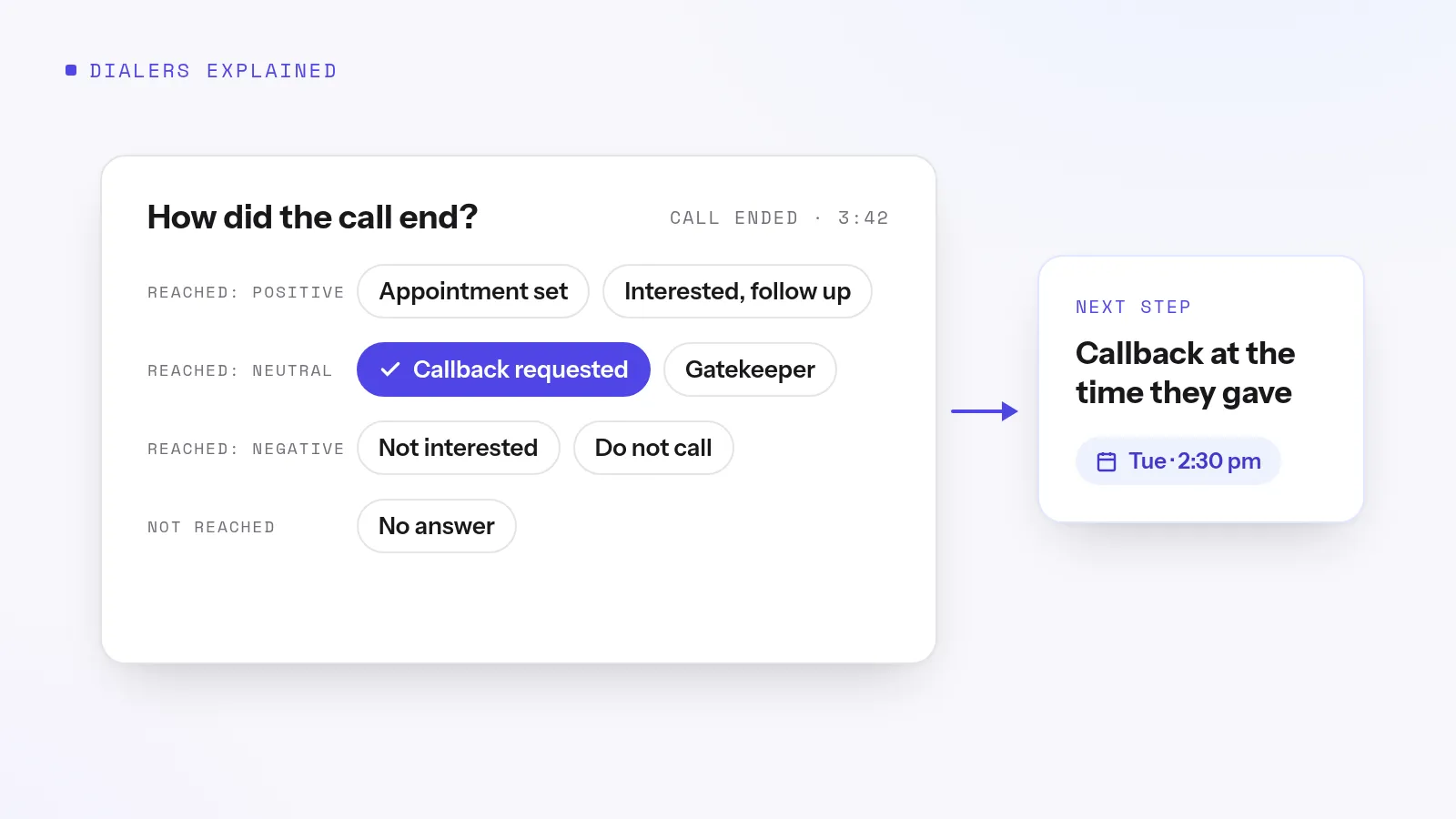
Each code leads somewhere. "Callback requested" should come with a callback time. "Do not call" should stop the calls.
Grouped for reporting. Put every code in a category (reached, not reached, bad number, and so on) so totals add up.
Required. A call with no code is a gap in every report.
Sales and appointment setting
Code
Category
Next step
Appointment set
Reached: positive
Book the meeting, send confirmation
Interested, follow up
Reached: positive
Task for the owner
Callback requested
Reached: neutral
Callback at the time they gave
Not interested
Reached: negative
Pause calling, maybe nurture by email
Gatekeeper
Reached: neutral
Retry another day
Do not call
Reached: negative
Add to your do-not-call list
No answer
Not reached
Retry later
Left voicemail
Not reached
Retry in a day or two
Busy
Not reached
Retry soon
Wrong number
Bad data
Remove the number
Disconnected
Bad data
Remove the number
Collections
Code
Category
Next step
Payment made
Right party: resolved
Close the account task
Promise to pay
Right party: positive
Follow up on the promised date
Payment plan agreed
Right party: positive
Set up the plan
Dispute
Right party: needs review
Send to a supervisor
Refused to pay
Right party: negative
Next step per your policy
Wrong party
Third party
Don't discuss the account; check the number
Asked us to stop calling
Right party: negative
Stop calls; follow your policy
No answer / left message
Not reached
Retry within your attempt limits
Log every call's outcome on the contact. Adoptiv suggests the likely outcome when a call ends on a busy signal or no answer, and asks for one on every real call.
Reps skip codes when picking one feels like extra work. Three things fix that. Suggest the likely code from how the call ended, so a busy signal already offers "Busy". Put the follow-up on the same screen as the code, so the rep sets the callback time while the call is still fresh. And make the code required, so a skipped one isn't an option.
Whatever tool you use, check what a code actually does after it's saved. Some systems run an action from the code. Others only record it, and the follow-up is a separate step. Both work, as long as reps know which one they have.
Adoptiv's call outcomes come with 20 codes in six reporting categories, and you can add your own. When a call ends on a busy signal, no answer or a number that can't be reached, the likely code is suggested. An ordinary completed call suggests nothing, so the rep chooses. An outcome is required on every real call, and the next step goes in a task with one owner and a due time. Codes for calls a machine picks up are covered in our guide to answering machine detection.
This is general information, not legal advice, so check with your own counsel.
Common questions
What does call disposition mean?+
It's the outcome of a call, recorded by the agent at the end: for example, sale made, callback requested or no answer.
How many disposition codes should a call center have?+
Usually 10 to 20. Fewer and you lose detail. More and agents pick whichever is quickest.
What's the difference between a disposition and a call status?+
A status is set by the system, such as busy or no answer. A disposition is chosen by the agent and says what happened in the conversation.
Can disposition codes trigger automatic follow-up?+
In many call center tools, yes. A code can book a callback, create a task, move the lead to another stage or add the number to a do-not-call list. In Adoptiv, an outcome doesn't trigger actions like these, so the rep adds the next step as a task.
Adoptiv is the dialer, the CRM and the AI on one platform, where the busywork logs itself and your reps just talk. Try it free for 14 days, with no credit card.
Questions? Call +1 (844) 955-7733. SIYA answers and puts you through to a person.