How to send web form leads to your CRM instantly (with webhooks)
Adoptiv Team··Updated ·3 min read
Short answer
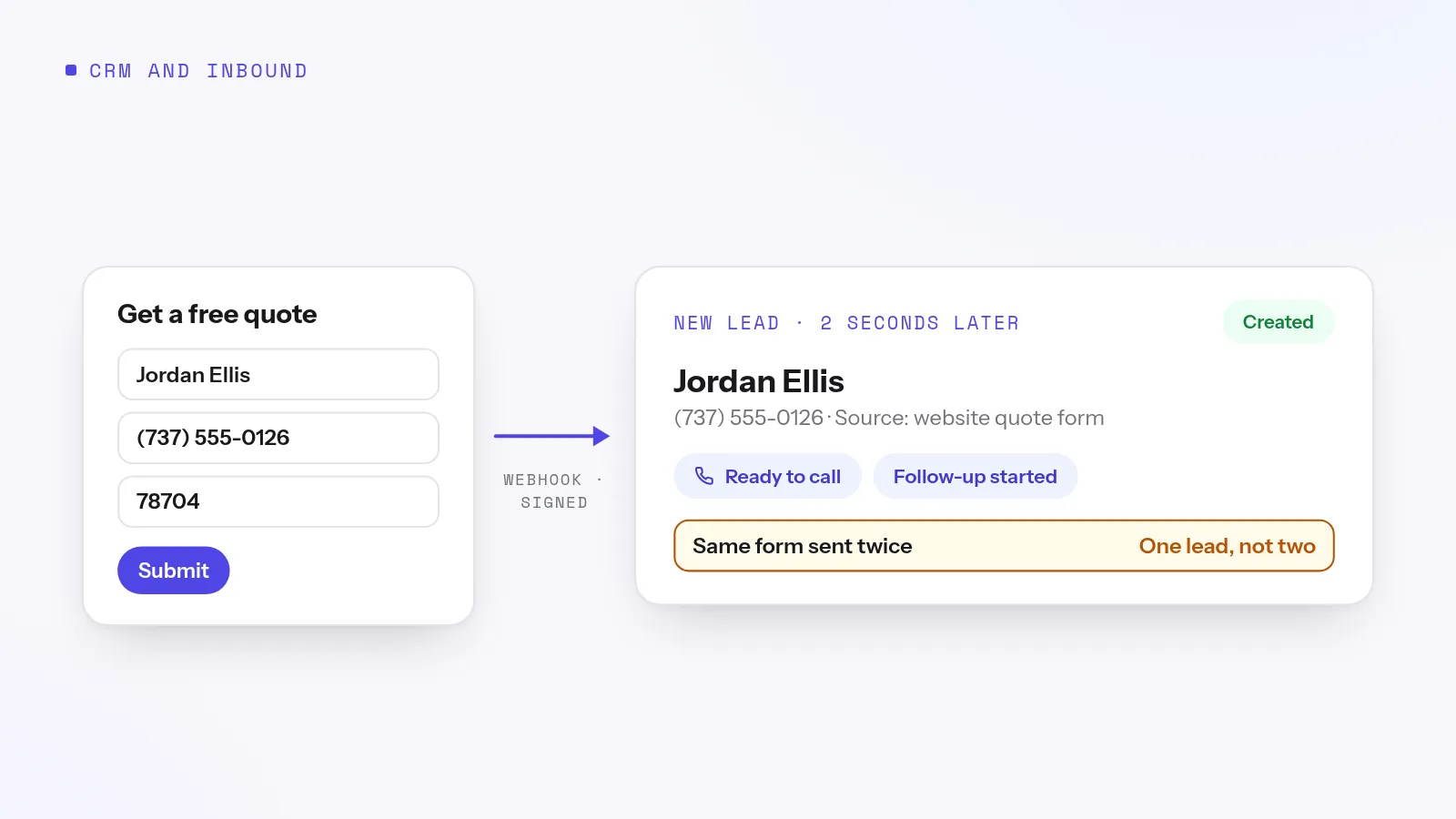
Give each form or lead vendor its own webhook address from your CRM. When someone submits, the form sends the details to that address, and the CRM creates the lead within seconds, ready to call and enroll in follow-up. Protect each address with a signing secret or token, and make sure retries don't create duplicate leads.
A lead that sits in an inbox for an hour is worth a fraction of one called in the first few minutes. If your web form emails someone who then copies the details into the CRM, you've built a delay into every lead. Webhooks remove it: the form talks to the CRM directly, the moment the visitor clicks submit.
Senders retry when they don't get a fast answer, and some vendors resend a lead on purpose. Without protection, one form submission can become two or three leads, each called by a different rep. Look for a CRM that recognizes a repeat delivery and ignores it, rather than one you have to clean up after. Our guide to duplicate leads in a CRM covers the other ways copies creep in.
Then call fast
Getting the lead in is half the job. The other half is calling while they're still on your website. Our speed to lead guide covers how to call every new lead within a minute.
How Adoptiv does it
Adoptiv's inbound webhooks give each source its own generated 32-character address. Set a signing secret, and Adoptiv checks the HMAC signature against the exact body received. If the sender can't sign, it checks a shared token instead. Requests over the size limit, 1 MB unless you raise it, are refused before they're read, and you can cap requests per minute for each source. A repeat delivery within 24 hours, recognized from the sender's delivery key or a fingerprint of the body, gets the same success reply and starts nothing new. Every request, accepted or refused, is logged with sensitive headers blanked. To cut a source off, generate a new address and the old one stops working.
Point the address at the automation that creates the lead. Then plan what follows: a follow-up sequence of emails, texts and call tasks keeps the lead moving after the first call.
Common questions
What is a CRM webhook?+
A web address another app sends data to when something happens, such as a form being submitted. The CRM receives it and acts, for example by creating a lead.
How fast does a webhook lead arrive?+
Usually within seconds of the form being submitted, much faster than email or daily imports.
Can a webhook create duplicate leads?+
It can when a sender retries. Use a CRM that recognizes repeat deliveries, as Adoptiv does for 24 hours.
Is a webhook secure?+
It is when every address uses a signing secret or token, so the CRM can refuse requests that don't come from your sender.
Adoptiv is the dialer, the CRM and the AI on one platform, where the busywork logs itself and your reps just talk. Try it free for 14 days, with no credit card.
Questions? Call +1 (844) 955-7733. SIYA answers and puts you through to a person.