
Open My Feed in the sidebar to see what needs you today. It has three parts, in this order: Do now, Suggested and From your conversations. Work from the top down.
The chips under the title, such as "Do now 4 · 2 overdue", jump to each part. The number beside My Feed in the sidebar counts what's overdue or due today, and turns red while anything is overdue.
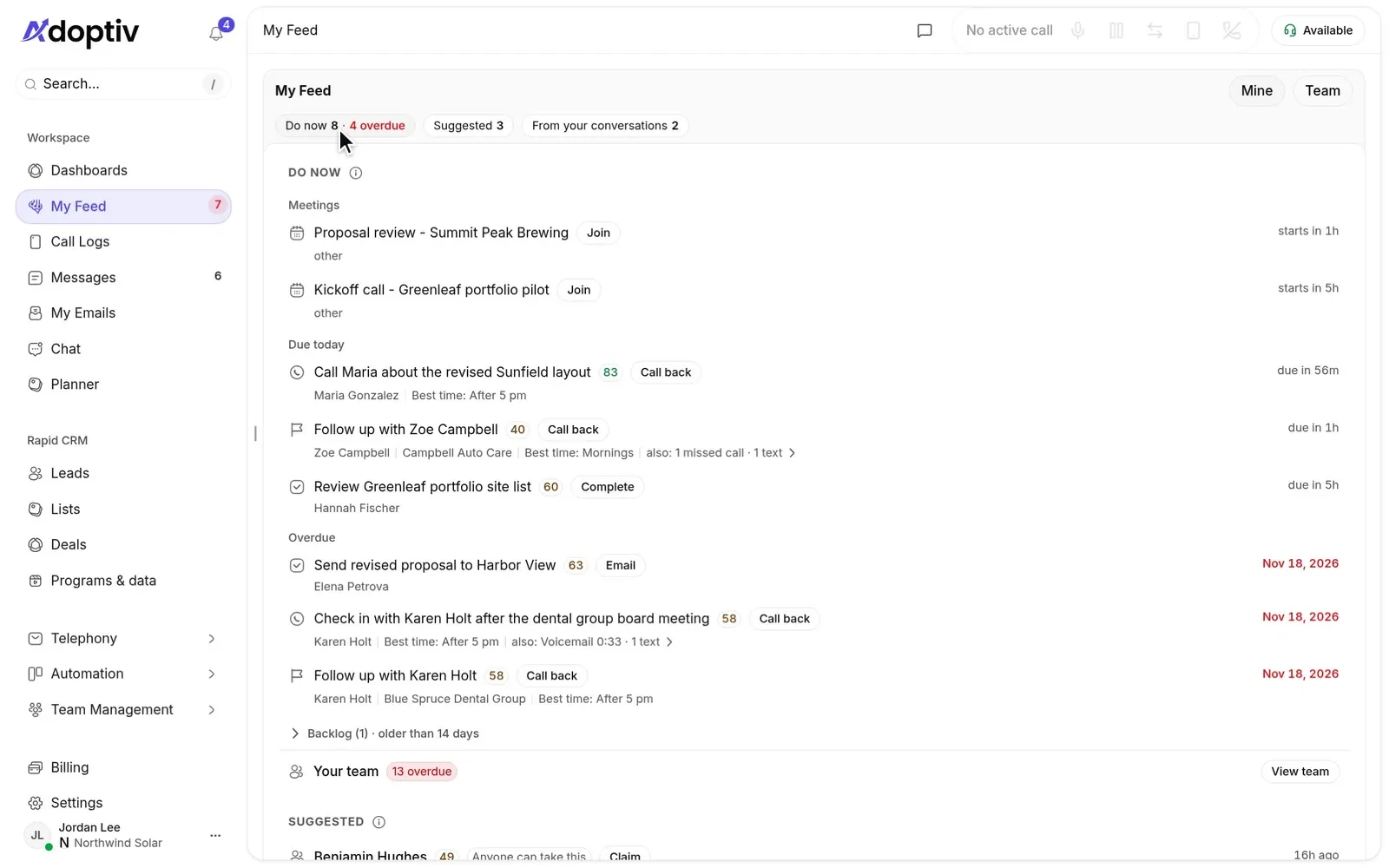
Do now: what you committed to
Today's Meetings, then what's Due today, then what's Overdue. Anything overdue for more than two weeks is folded into Backlog at the end.
- Press the row's main button, such as Call back, Join, Log outcome or Complete.
- Not ready yet? Press Snooze and pick 1 hour, Tomorrow 9 am or Next Monday 9 am.
- Press Open to see the full record.
When one of your items falls due, a reminder pops up on whatever page you're on, with buttons to call, join, snooze or open it.
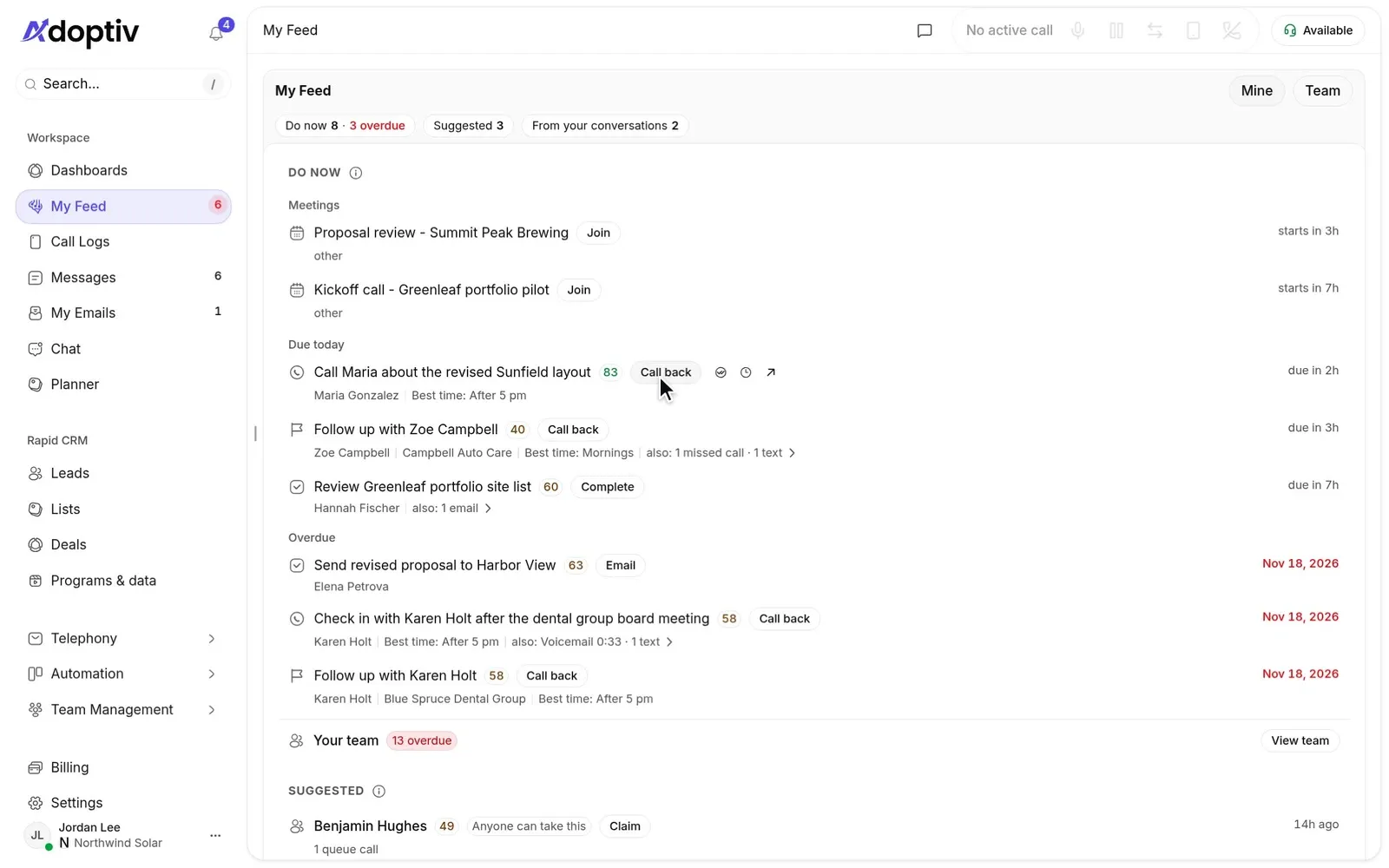
Suggested: what's waiting on you
One row per person: calls nobody returned, queue calls nobody took, voicemails nobody played, and lead emails and texts that are unread or waiting on a reply.
- Call back opens the call dialog.
- Play plays a voicemail in the row.
- Claim takes a queue call marked Anyone can take this.
- Reply answers an email or text.
A missed call or voicemail counts as returned only when a later call with that person connects, or someone on your team texts them.
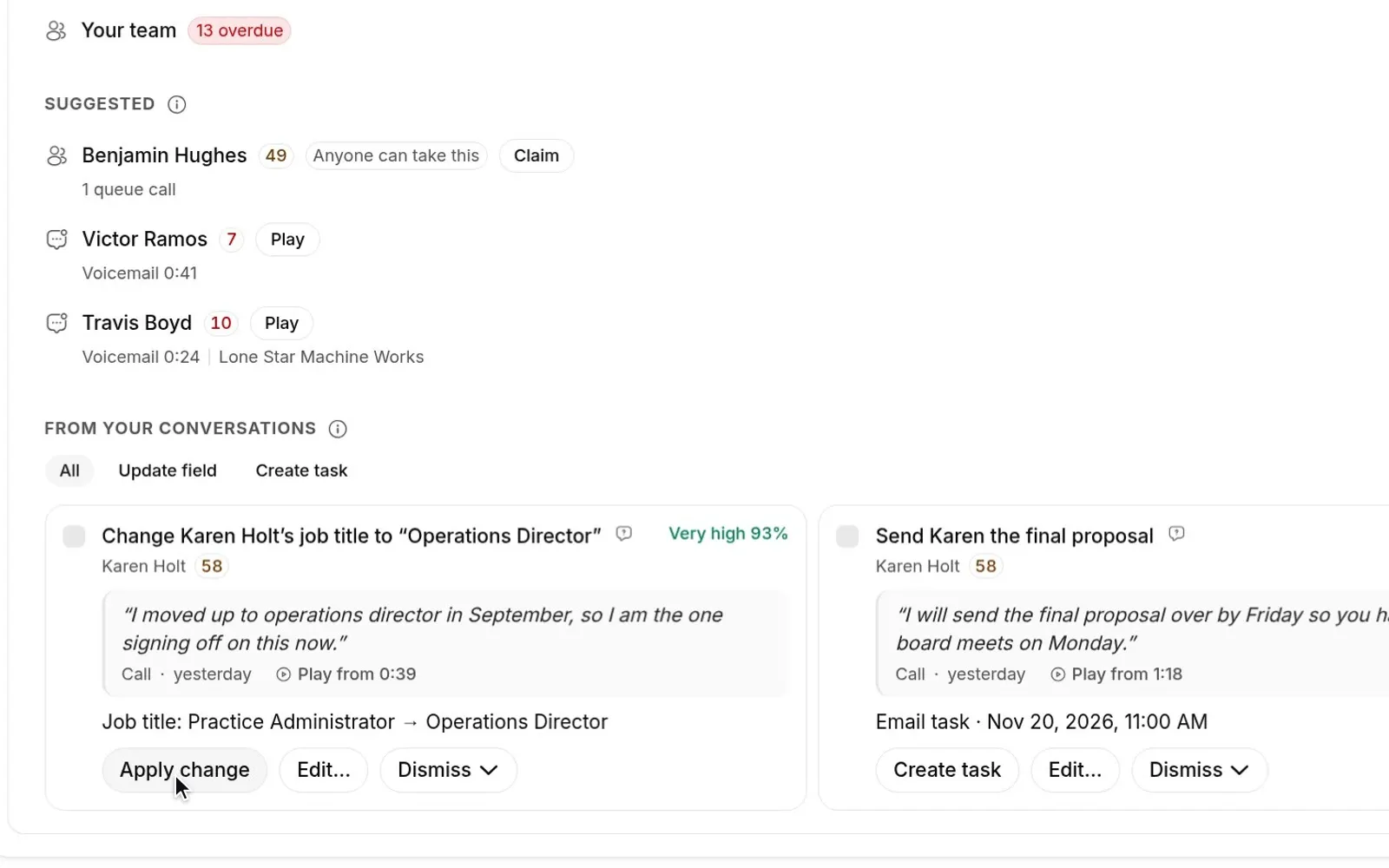
From your conversations: AI suggestions
When AI analysis is on, Adoptiv reads calls, voicemails, emails and texts and suggests updates, such as a field to change, a task or a reminder. Check the quote before you apply it: applying writes to the lead.
- Press the suggestion's main button, such as Apply change or Create task.
- To adjust it first, press Edit….
- If it's not right, press Dismiss and pick why: Wrong, Already done or Not useful.
Suggestions Adoptiv is less sure about are folded under Less sure. Done today lists what you applied or dismissed today. If the lead's field changed after the conversation, you're asked to Replace it or Keep current.
If you see AI suggestions are off for this workspace, an administrator needs to turn AI analysis on. Learn more in AI lead summaries and suggestions.
See your team's feed
If people report to you, or you're on a named team, a Mine / Team switch appears at the top. Team shows the same kinds of rows grouped by person. Adoptiv remembers which one you picked.