Business phone app for Android: a second number without a second SIM
Adoptiv Team··Updated ·3 min read
Short answer
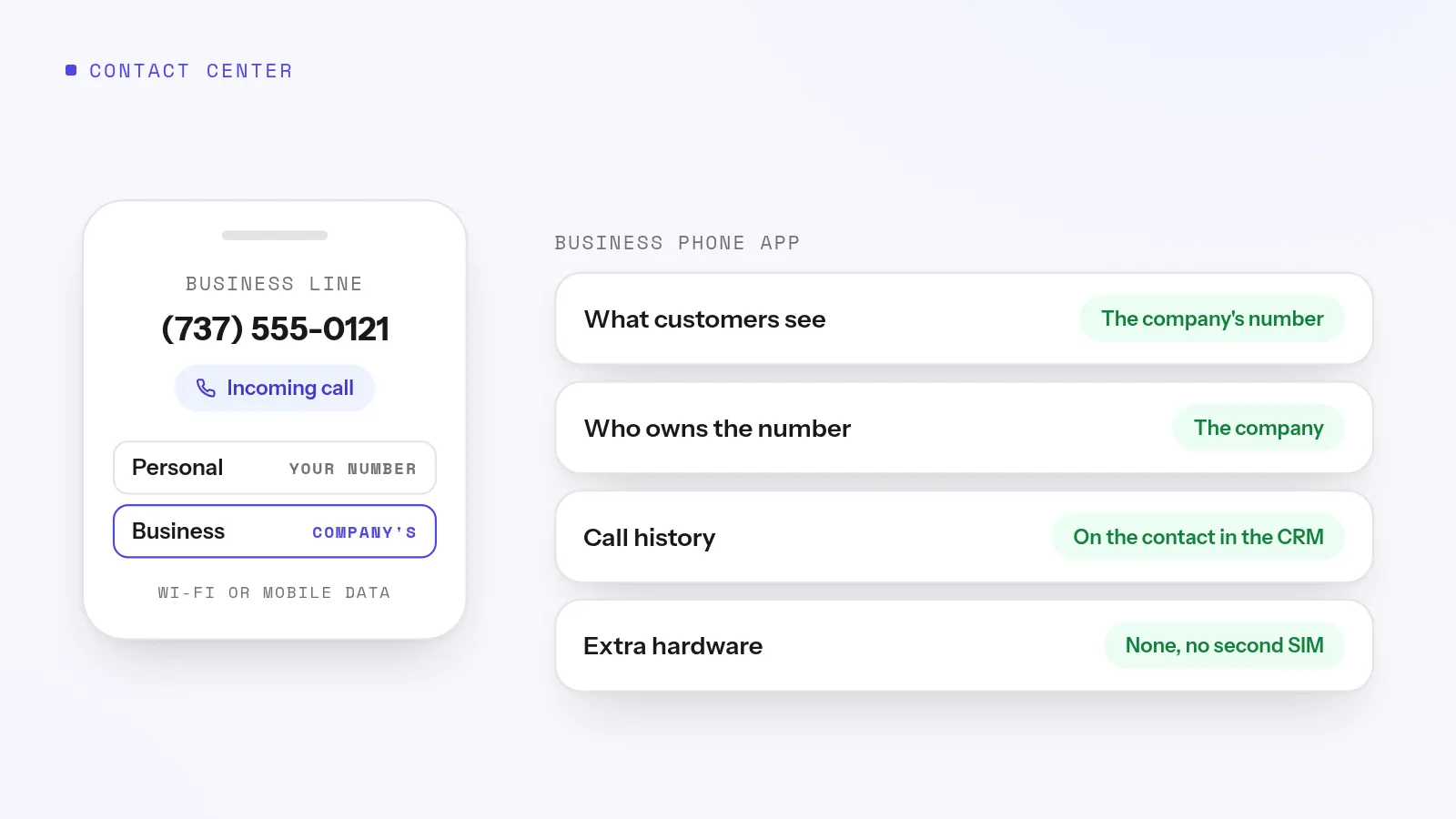
A business phone app (a softphone) puts a company number on your Android phone alongside your personal one. Calls run over Wi-Fi or mobile data, customers see only the business number, and the number stays with the company when someone leaves. You don't need a second SIM or a second handset.
Most small teams start by calling customers from their own mobiles. It works until someone leaves and their customers leave with them, or a rep's personal number ends up on a hundred lead lists. A business phone app fixes both without handing everyone a second phone. This post is part of our contact center software guide for small teams.
Your options compared
Personal mobile
Second SIM or second phone
Business phone app
What customers see
Your personal number
A separate number
The company's number
Who owns the number
You
Usually the company, but it's tied to a device
The company
Call history
On your phone only
On that SIM or phone
Logged to the contact in the CRM
Calls to the office line
Missed away from the desk
Missed unless forwarded
Ring on the phone and the computer
Extra hardware
None
A dual-SIM phone or a second handset
None
What a softphone app actually does
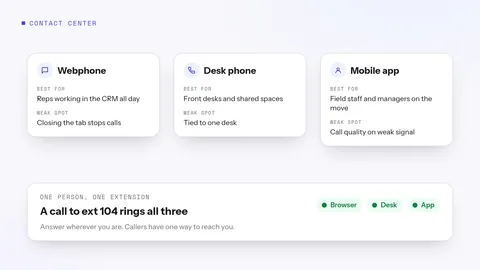
A softphone makes and takes calls over the internet instead of a phone line. On Android it looks like a dialer, but the calls go out on your business number, not the SIM's. Because the number lives with your phone provider rather than in the handset, the same number can also ring a browser tab at your desk or a desk phone. Answer on whichever is nearest.
Get a business number and the Android app once your account is approved. Every seat includes a US business number. Calls ring on your phone and your computer at once, and every call is logged to the contact in the CRM.
Real estate agents taking buyer calls at showings without handing out a mobile number.
Home services crews calling customers from the job.
Owners who run the business line from their pocket.
Front desks using a shared Android tablet.
What to check before you choose an app
Does it ring your other devices too? An app-only number means missed calls when your battery dies.
Are calls logged to your CRM? If not, someone types them up or they're lost.
Who owns the number? It should belong to the company account, not the person.
Can you keep an existing number? Look for porting.
Which Android versions does it support? Check older team phones before you roll it out.
How Adoptiv does it
The Adoptiv app for Android puts your Adoptiv business number on Android phones and tablets running Android 10 or later. Calls run over Wi-Fi or mobile data. An incoming call rings on your phone and your computer at the same time, every call is logged to the contact in the CRM, and customers only ever see the business number.
Each person has one extension that reaches the browser, the Android app and a desk phone. You can move a call between devices mid-conversation: the new device rings first, and the old one lets go only once it answers. Any call flow or call queue that sends a call to you reaches all three. If you're weighing how queue calls should reach your team, our comparison of a call queue vs a ring group explains the difference. Every seat includes a US business number, and you can port an existing number, with a porting fee.
The app isn't on Google Play yet. Open adoptiv.com/download on the phone, allow your browser to install apps when Android asks, then sign in with your workspace account. Older 32-bit phones take a separate download, and each file's SHA-256 checksum is published so you can confirm it's genuine. The iPhone app is on its way, and until then iPhone users call from Adoptiv in the browser.
Common questions
Can I have two phone numbers on one Android phone?+
Yes. Your personal number stays on your SIM, and the business number runs in the app.
Does a business phone app use my minutes?+
It runs over the internet, so it uses Wi-Fi or mobile data rather than your mobile plan's call minutes.
Is the Adoptiv app on Google Play?+
Not yet. Install it from adoptiv.com/download on the phone itself.
What happens to the number when an employee leaves?+
In Adoptiv, it stays with the company, along with every past call on the contact records, and an admin chooses where it rings next.
Adoptiv is the dialer, the CRM and the AI on one platform, where the busywork logs itself and your reps just talk. Try it free for 14 days, with no credit card.
Questions? Call +1 (844) 955-7733. SIYA answers and puts you through to a person.