How to share a dashboard with clients: four options compared
Adoptiv Team··Updated ·3 min read
Short answer
There are four ways to show a client your numbers: give them a login, email an export, send a screenshot, or send a read-only link that needs no account. Whichever you pick, build one board per client with only their figures on it, agree in writing what each figure means, and have a clear way to stop sharing when the contract ends.
Every agency, BPO and outsourced sales team gets the same question from clients: "How's it going?" It usually comes on a Friday afternoon. The usual answer is an export pasted into a spreadsheet or a screenshot of a report. Both are out of date by Monday, and neither can be taken back once it's sent. A shared dashboard can answer the question before it's asked, but only if you share it in a way that doesn't hand the client a key to your whole system.
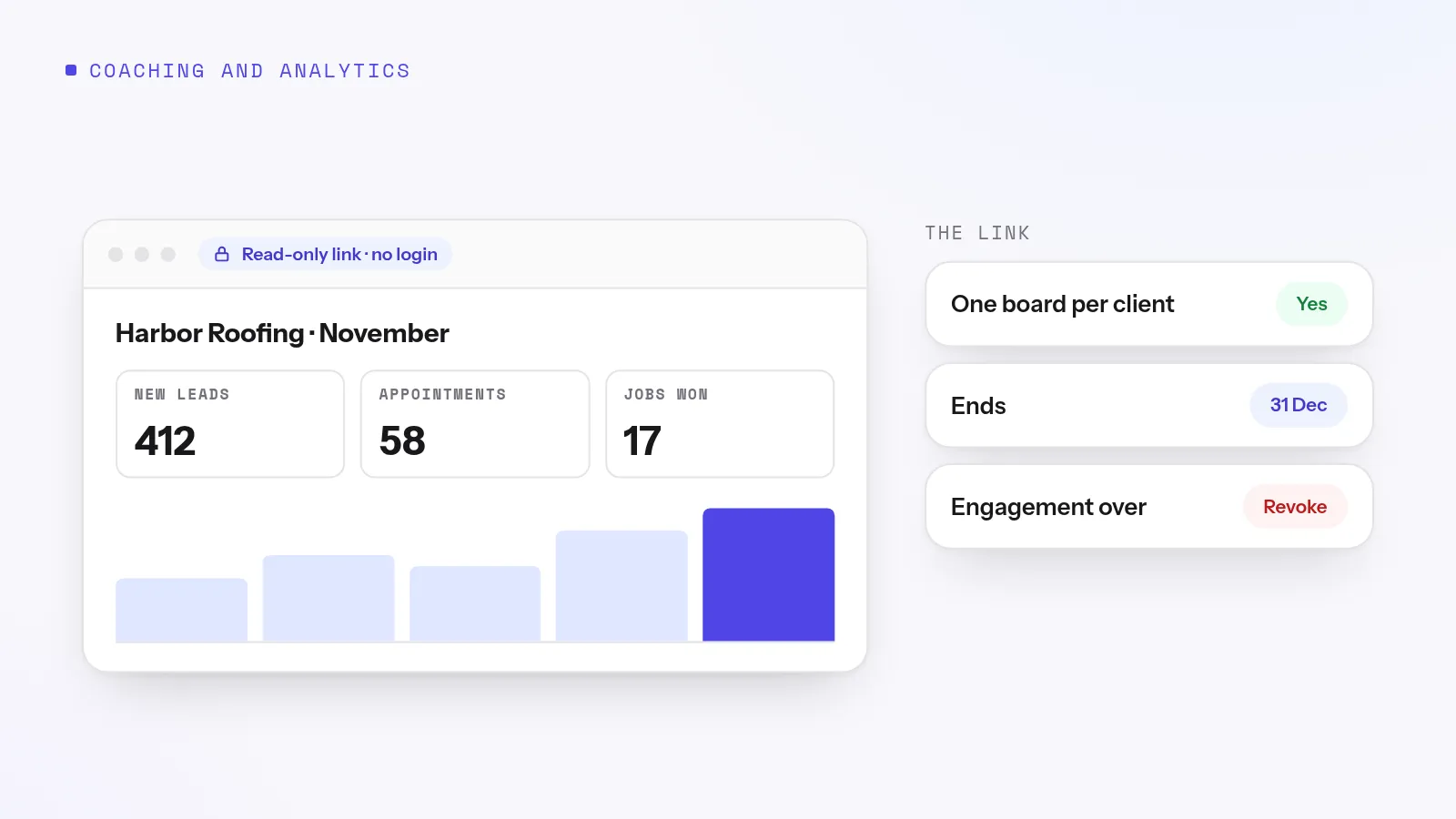
There's no single winner. A login suits a client who checks daily and whose access you can manage like any user's. A weekly export suits a client who wants a file for their own records. A no-login link is convenient, but treat it as publishing: anyone holding it can see the board until it stops working.
What to put on a client board
The figures in your contract. If you're paid on appointments set or leads qualified, those go at the top.
Trend, not just totals. A week-by-week chart answers "is it getting better?" before the client asks.
The same date range on every chart, printed where they can see it, so nobody compares last week to this month by mistake.
A short description saying what each figure means and how it's counted. Our outbound call center metrics guide has plain definitions you can reuse.
Give every team its own board. Share a board with a team or a CRM role, read-only or with edit access.
Other clients' numbers. Build one board per client rather than one board with a filter. A filter can be changed; a separate board can't leak.
Individual agent rankings, unless the contract calls for them. Clients tend to ask for named people to be moved off their account.
Internal costs and margins. Obvious, but it happens when a manager shares their own board in a hurry.
Raw record lists with customer names and numbers. A summary answers the client's question without the exposure.
Five rules for sharing with clients
Decide how sharing ends before it starts: an account you disable, a link you switch off, or a report that simply stops being sent.
One board, one client. If the client's contact changes, review who can see it rather than forwarding access.
Check the board as the client will see it before you share it. Numbers can differ by who is looking, depending on the tool.
Stop sharing on the last day of the engagement, not when someone remembers.
Write the definitions down. A client who reads "contacts" as "conversations" will think you're underperforming.
How Adoptiv does it
Adoptiv's dashboards are built for your own teams. You can make as many boards as you need. With dashboard sharing, a board goes to teams or CRM roles, read-only or with edit access, and removing a share ends access the next time the board loads.
Adoptiv doesn't offer a no-login link for people outside your workspace. To report to a client, share the figures from a board in the format your contract calls for, or give the client's own team a board shared read-only with a role made for them. Check what that role can see before you share.
Common questions
How do I share a dashboard with a client who has no account?+
Either send them a regular export or screenshot, or use a tool that offers read-only no-login links. If you use a link, set an end date and treat it as public.
Is a public dashboard link safe?+
Anyone who has the link can view the board while it works. Keep sensitive figures off client boards, and switch links off when you no longer need them.
Can I show different clients different numbers?+
Yes, by giving each client their own board with only their figures on it. Don't rely on a filter on a shared board.
Can I share an Adoptiv dashboard with one person?+
Not by name. Boards are shared with teams and CRM roles, so put the person in the team or role the board is shared with.
Adoptiv is the dialer, the CRM and the AI on one platform, where the busywork logs itself and your reps just talk. Try it free for 14 days, with no credit card.
Questions? Call +1 (844) 955-7733. SIYA answers and puts you through to a person.